05Crime Shield

Case studyPersonal safetyiOS app

Help, without saying a word.

Press the side button three times and Crime Shield sends your location and your voice to the police and to the people you trust. It is designed for everyone who can’t explain an emergency out loud.

Role
Product designer, UX + UI
Timeline
4 weeks
Scope
Research, UX, UI, prototype, testing
Platform
iOS
Team
UX + UI designers, with a research partner in the US
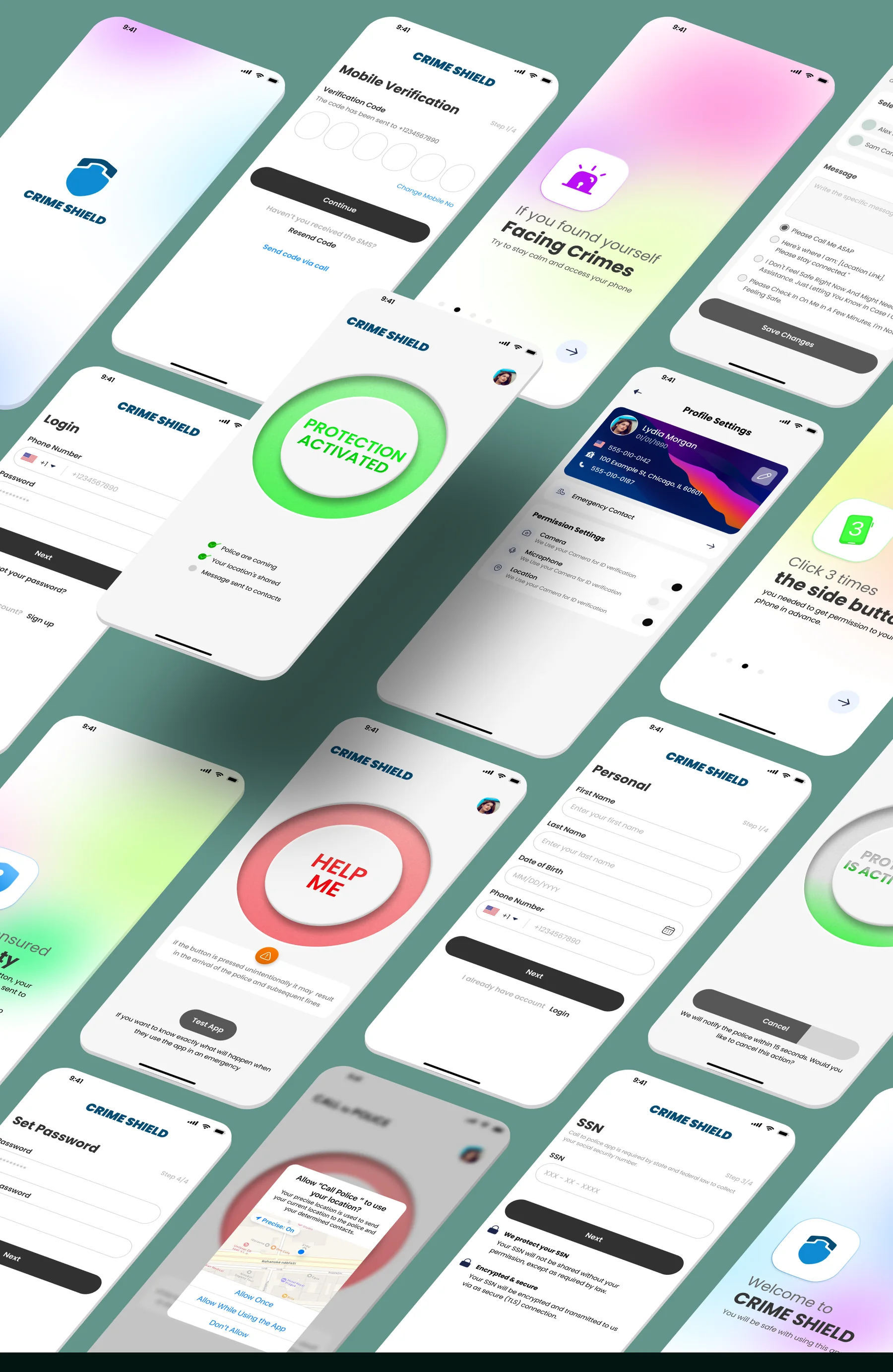
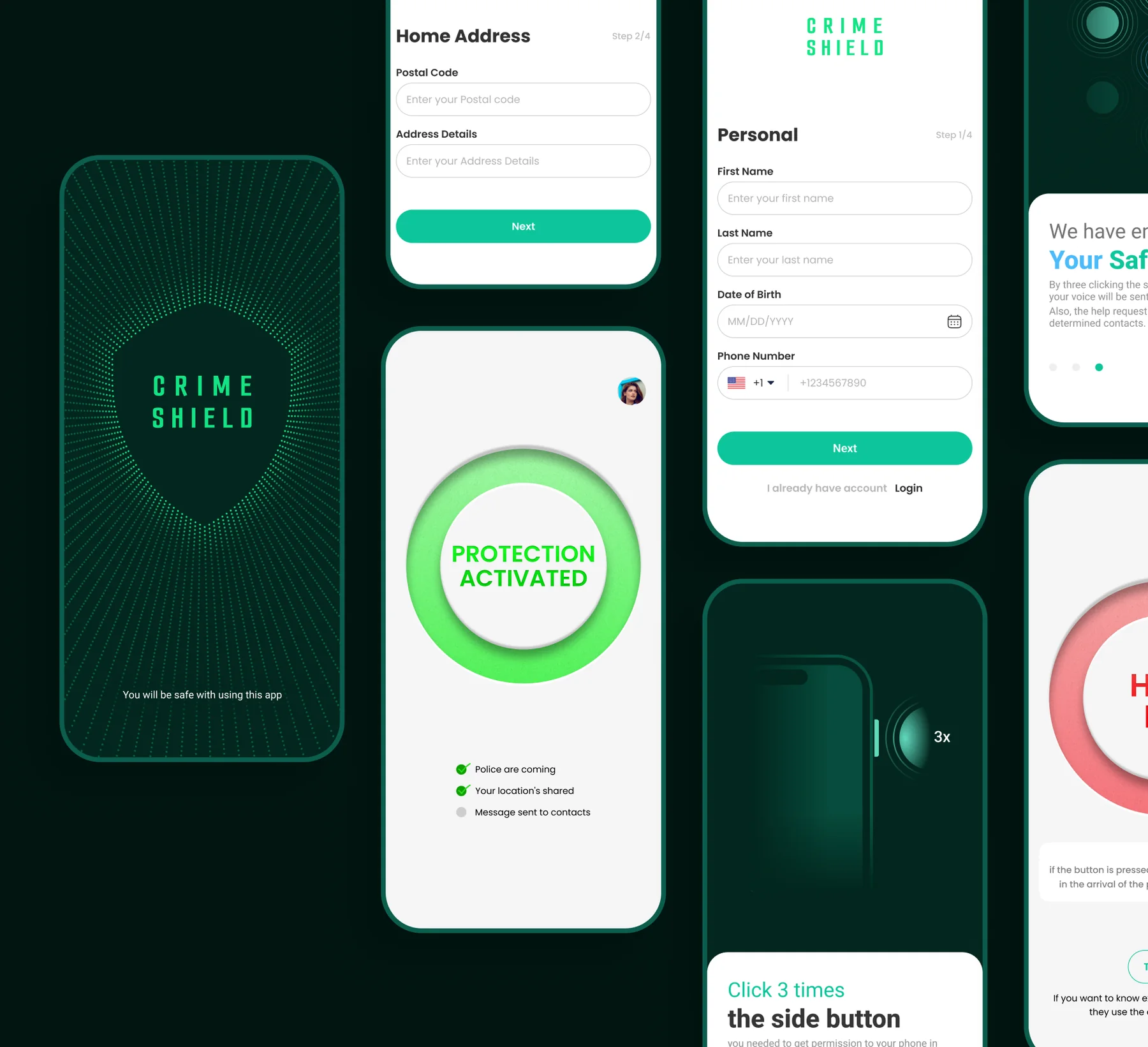
Crime Shield screens: splash, sign-up forms, the Protection Activated screen and onboarding

01 — Overview

Some emergencies can’t be explained.

People with disabilities, or with limited English, can struggle to explain what is happening to the police, and to prove it afterwards. Crime Shield gets help moving, and captures evidence, without a single word.

Where it started

The documentary Victim/Suspect followed young women who struggled to prove they were assaulted, and who got into trouble for passing wrong information to the police. It raised one question: how can someone get help fast, and back up their claim, in the worst moment?

The idea

An app built on Apple device features: instant camera and voice recording to capture evidence in real time, and a call to emergency services with a triple-click of the side button.
  • 8interviews with Chicago residents
  • 10themes on the affinity map
  • 2personas, Alex and Lydia
  • 2rounds of usability testing
  • 6stages on the journey map
  • 15final screens

02 — Process

Four weeks, five steps.

The UX and UI designers worked as one team, and a Business and Growth team stayed in constant contact, adding insight at every stage.

Day 1Project discussion

Aligning on the problem, the users and the goals.

Week 1Research & UX design

Interviews, affinity map, personas, user story and journey map.

Week 2Wireframes & style guide

Sketches, then high-fidelity wireframes.

Weeks 3–4UI design

Prototype, two rounds of usability testing and the final screens.

End of week 4Deliver 🥳

The finished interface and what we learned.

03 — Discover

One button between fear and help.

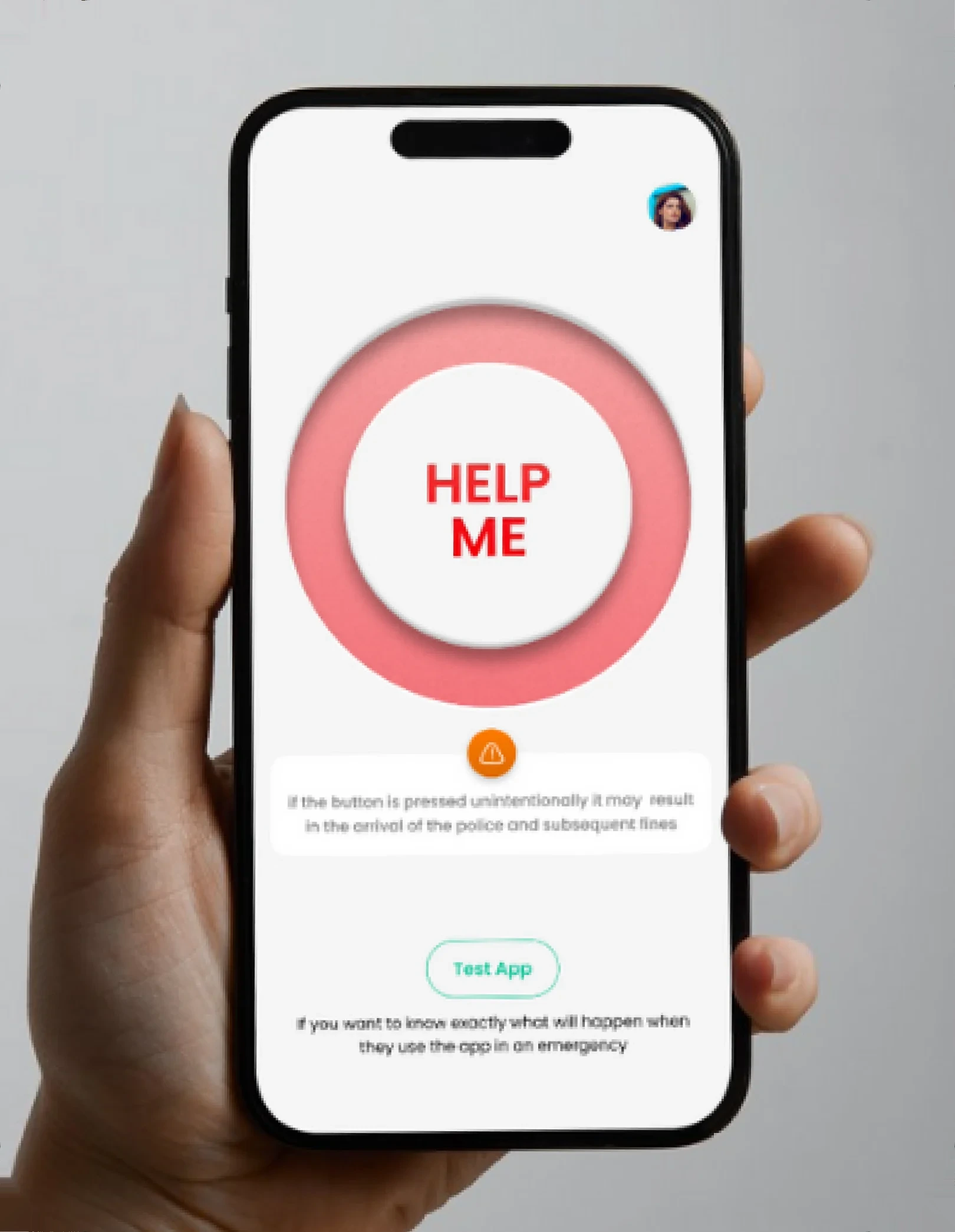
A hand holding a phone with the red Help Me button on screen

Problem

Reporting a crime and asking the police for help is hard, especially for people with disabilities or limited English. Claims are hard to prove and help arrives late.

The gap

Solution

A mobile app that works with Apple devices. Capture evidence with the camera and voice recording, and call emergency services with a triple-click of the side button.
The answer

Expected impact

Packed into one easy-to-use app, these features let people document an incident, prove what happened and get help from the police fast. The hope is that communities feel safer overall.

Target audience

Everyone who lives in the United States.

Interviews

Eight people, six questions.

Together with my research partner in the US, we interviewed eight people who have lived in Chicago for more than ten years. We started by asking whether they feel safe in the city and which safety concerns they have, then went deeper.

  1. Can you share a personal experience or story where you felt unsafe or in danger?
  2. Have you ever witnessed or heard about incidents of violence, sexual assault or abduction in your community?
  3. Are there specific safety concerns that certain people, such as those with disabilities or limited English proficiency, face in distressing situations? How could they be addressed effectively?
  4. What are your thoughts on using technology, such as smartphones and apps, to improve personal safety and get help quickly in emergencies?
  5. Which features would be essential in an app for personal security and documenting incidents? How could it help people back up their claims and get timely help from law enforcement?
  6. Are there privacy or data-security concerns to address in an app like this? How can they be addressed to build trust?

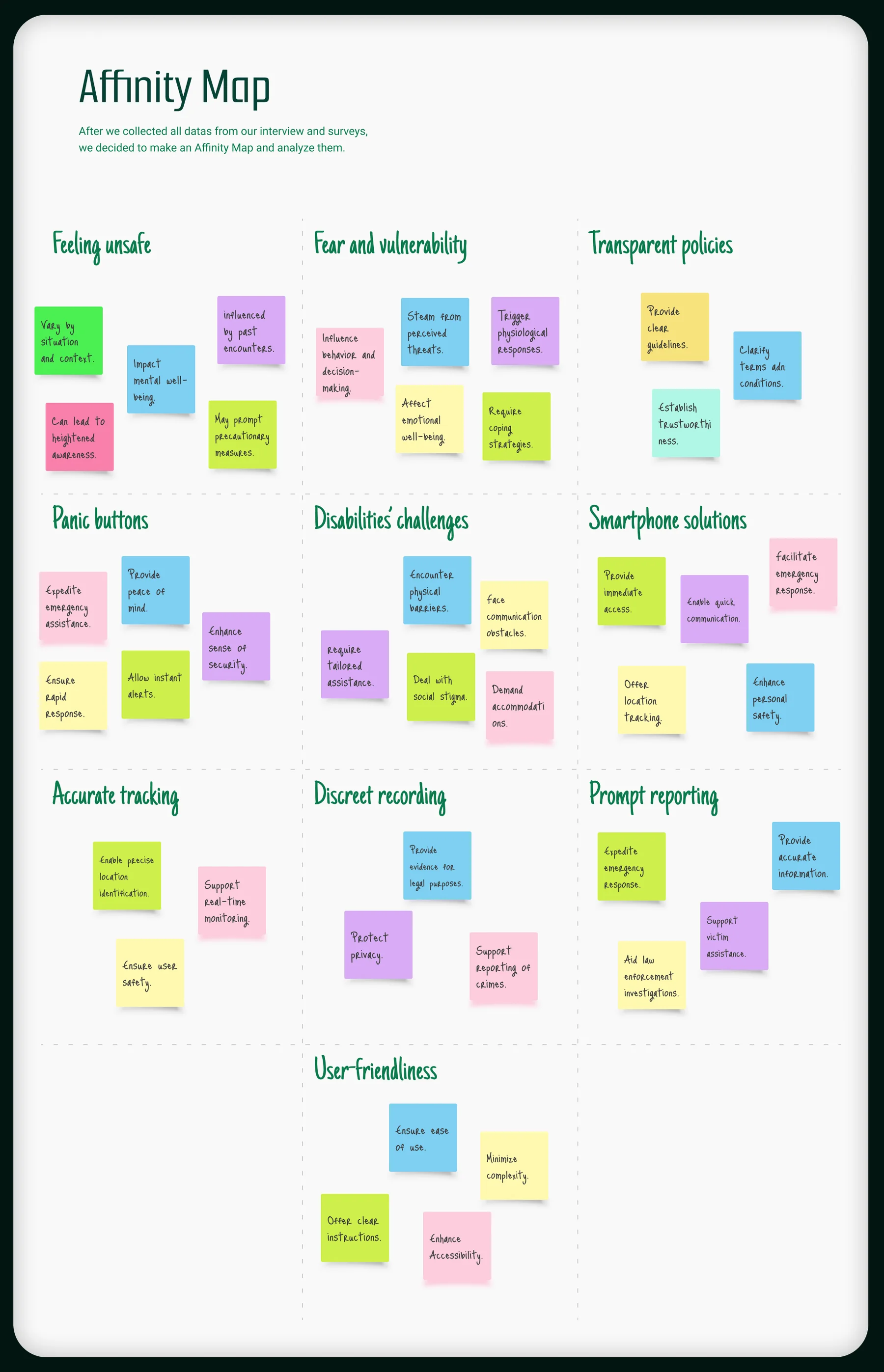
Affinity map

Ten themes emerged.

With the interview and survey data collected, we sorted every insight into an affinity map and let the themes appear.

  • Feeling unsafe
  • Fear and vulnerability
  • Transparent policies
  • Panic buttons
  • Disabilities’ challenges
  • Smartphone solutions
  • Accurate tracking
  • Discreet recording
  • Prompt reporting
  • User-friendliness
Affinity map · working fileSwipe to explore
Affinity map with sticky notes grouped into ten themes

04 — Define

Two people to design for.

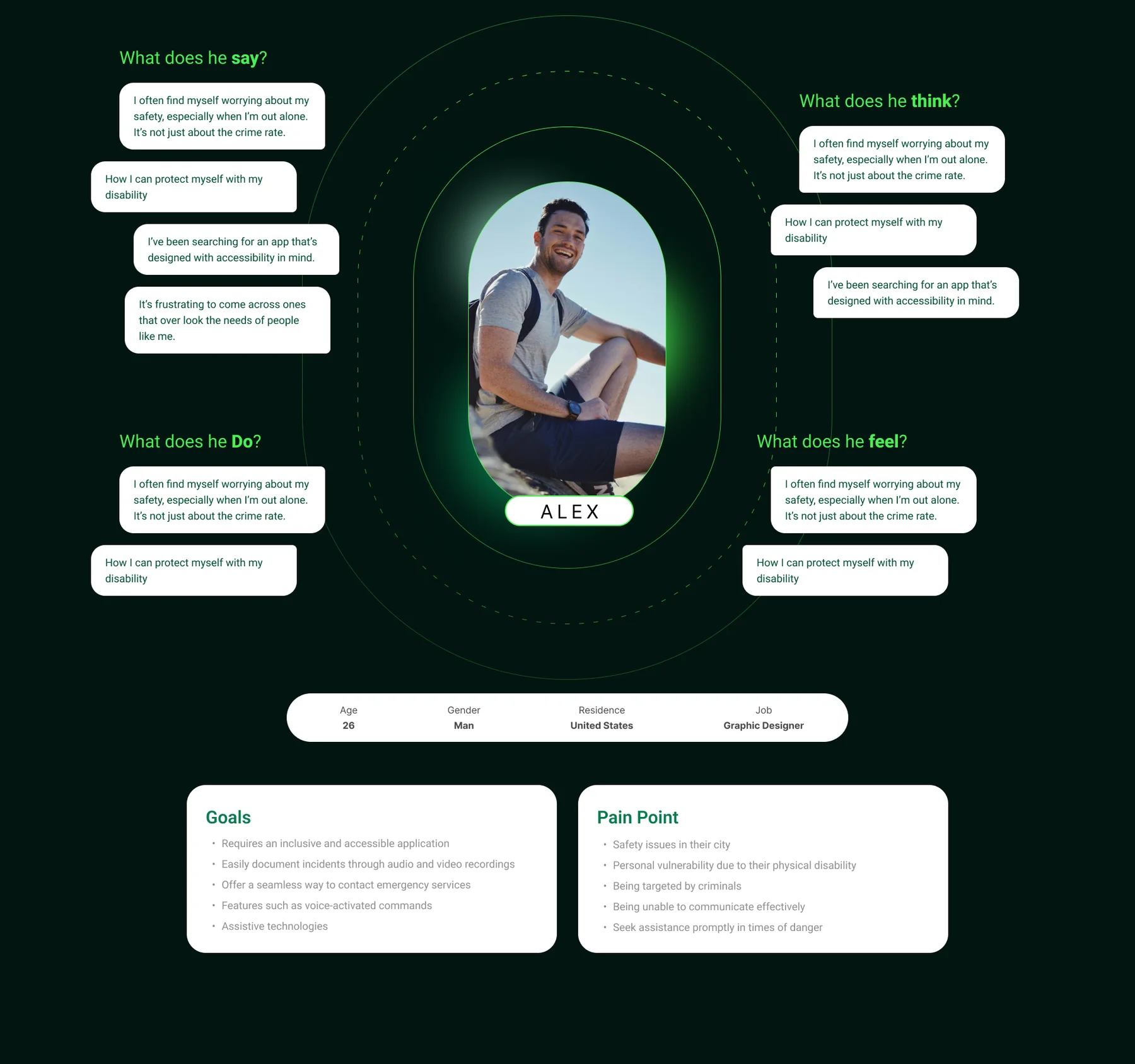
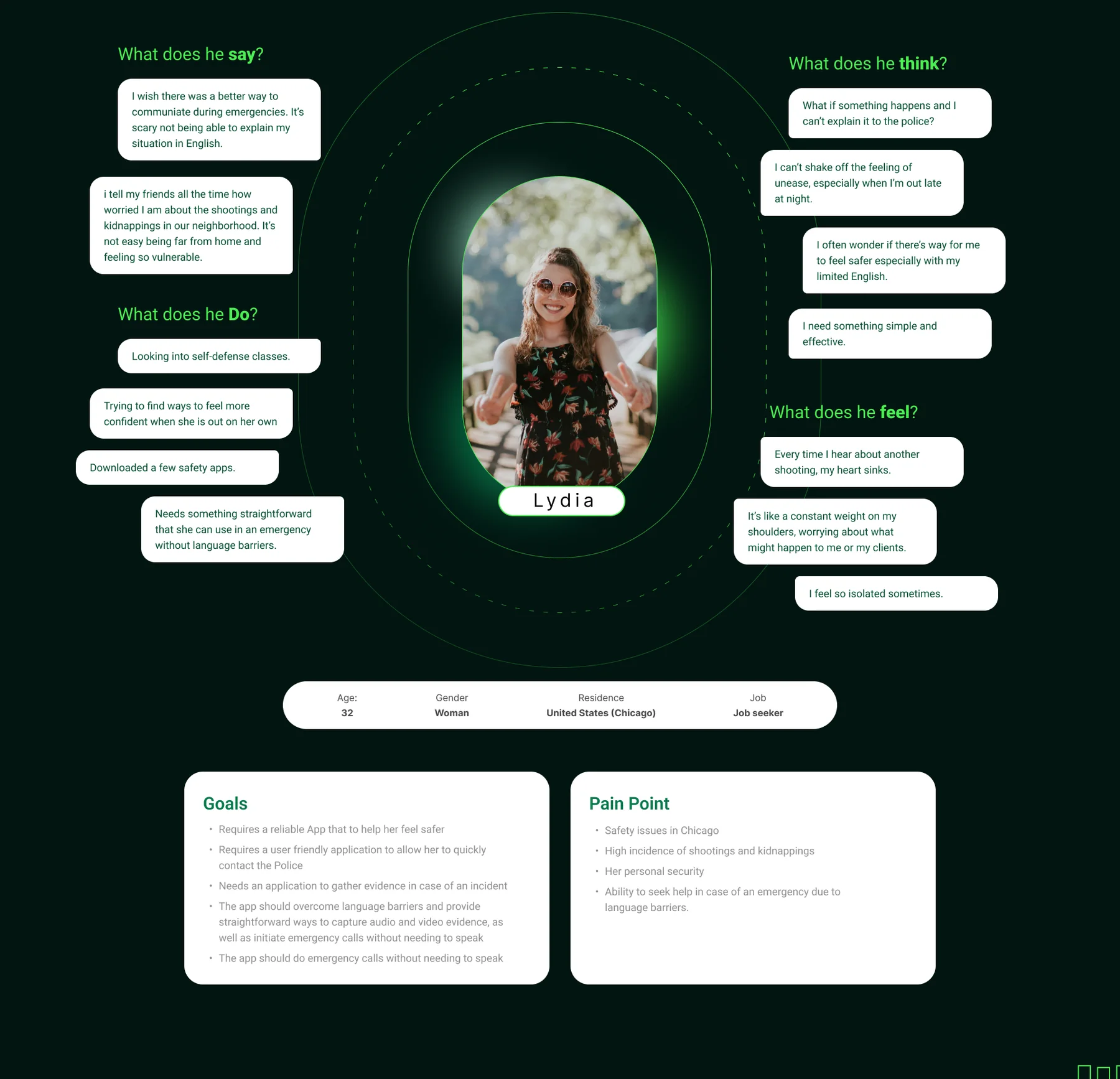
The survey and interview data became an empathy map and a gains-and-pains list for each persona. Empathy maps let us see Crime Shield’s world through its users’ eyes.

Empathy map for Alex: what he says, thinks, does and feels, with his goals and pain points

I’ve been searching for an app that’s designed with accessibility in mind.

Age
26
Gender
Man
Residence
United States
Job
Graphic designer

Goals

  • An inclusive, accessible application
  • Easily document incidents with audio and video recordings
  • A seamless way to contact emergency services
  • Voice-activated commands
  • Assistive technologies

Pain points

  • Safety issues in their city
  • Personal vulnerability due to a physical disability
  • Being targeted by criminals
  • Being unable to communicate effectively
  • Seeking assistance promptly in times of danger
Empathy map for Lydia: what she says, thinks, does and feels, with her goals and pain points

I wish there was a better way to communicate during emergencies. It’s scary not being able to explain my situation in English.

Age
32
Gender
Woman
Residence
United States (Chicago)
Job
Job seeker

Goals

  • A reliable app that helps her feel safer
  • A user-friendly way to contact the police quickly
  • An app that gathers evidence in case of an incident
  • Straightforward audio and video capture that overcomes language barriers
  • Emergency calls without needing to speak

Pain points

  • Safety issues in Chicago
  • A high incidence of shootings and kidnappings
  • Her personal security
  • Seeking help in an emergency despite language barriers

User story & journey

From a story to a journey.

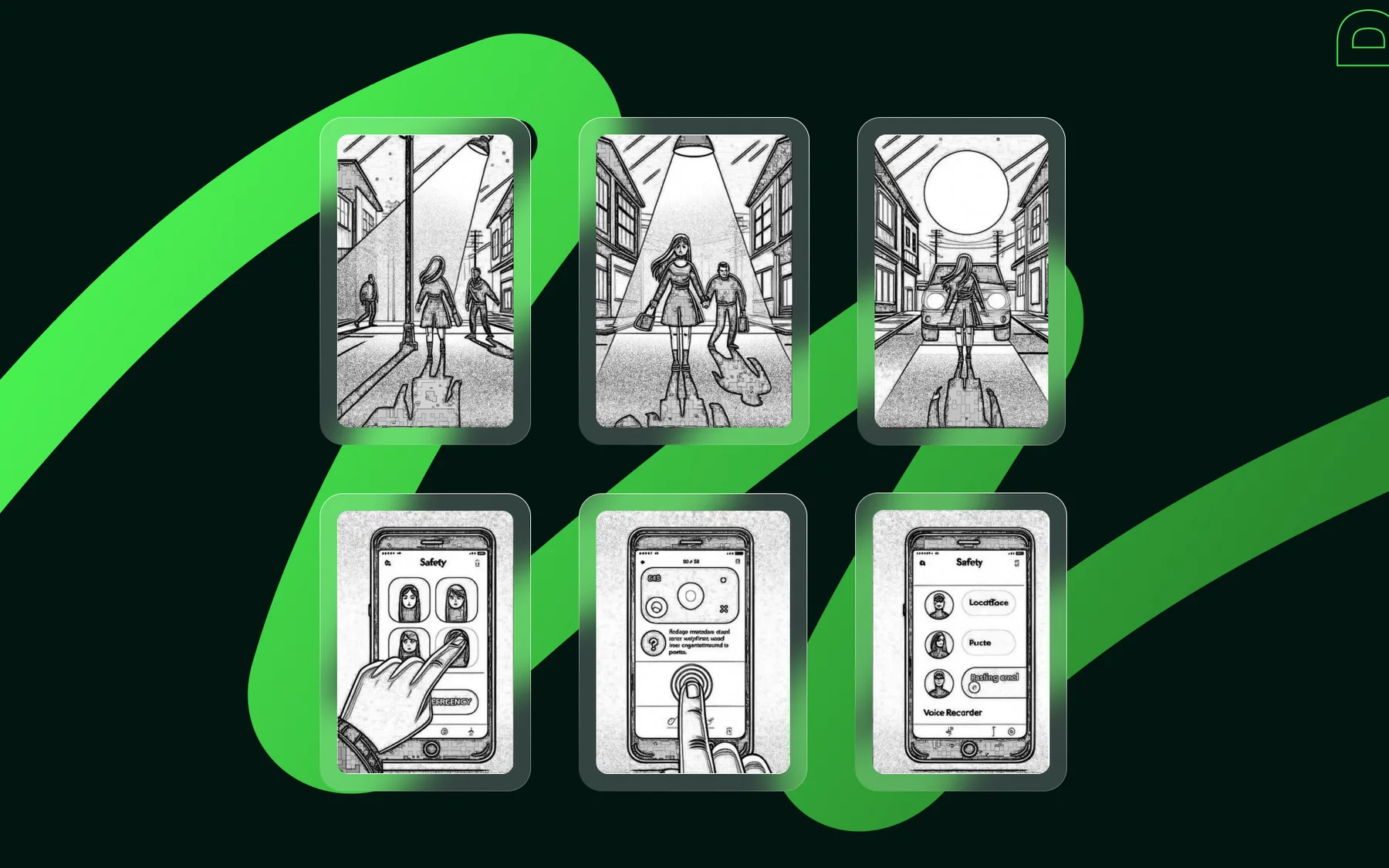
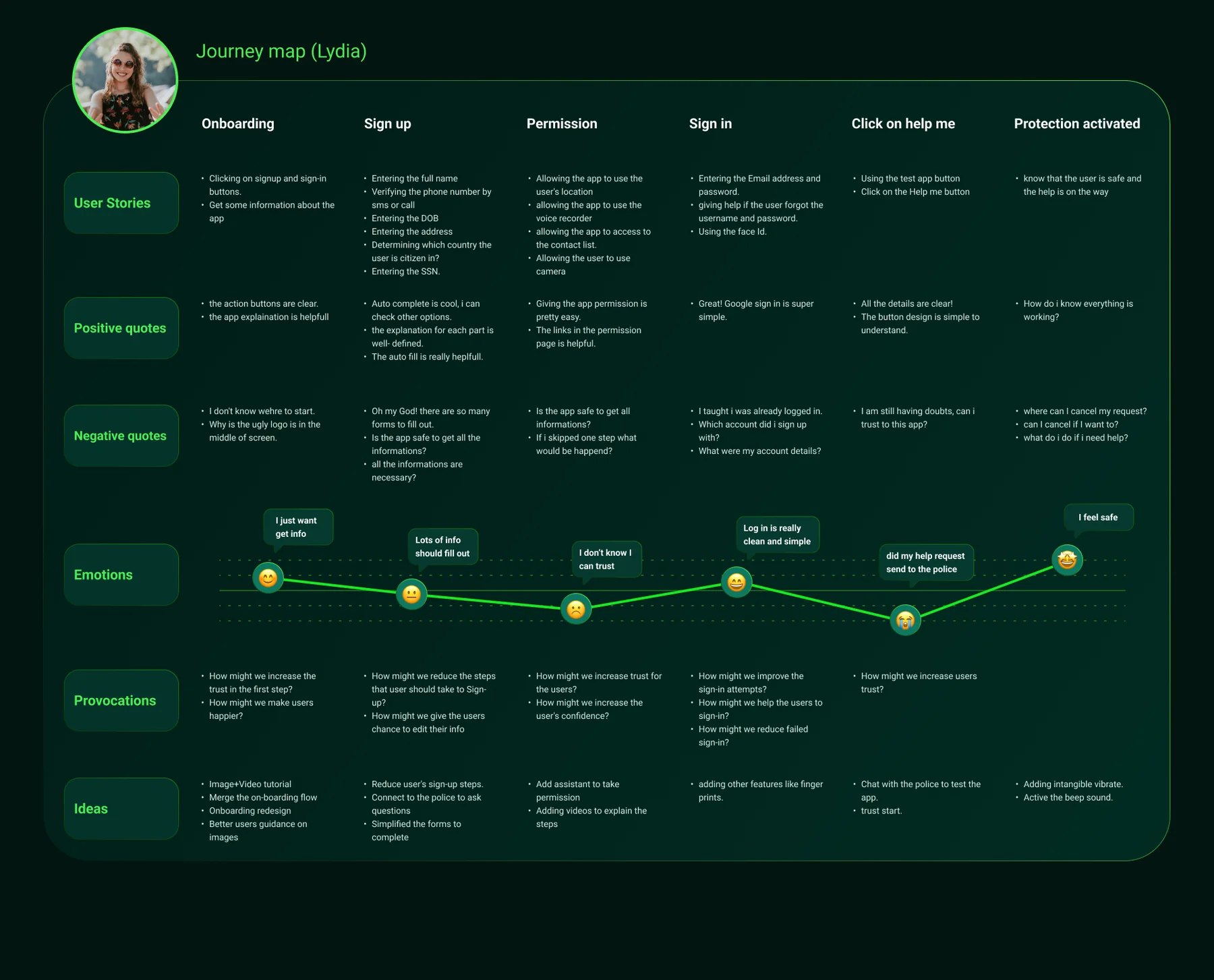
A user story map organised the interactions, prioritised the features and kept the design tied to what people actually need. Then we followed Lydia through the app, stage by stage.

Six sketched panels of a user story: a person walking alone, noticing danger and using the app
The user story map, drawn as six sketches.

Lydia’s journey

Select a stage to see what she felt, what worried her and what we changed.
Journey map (Lydia) · full fileSwipe to explore
Journey map for Lydia from onboarding to protection activated, with quotes, emotions, questions and ideas

05 — Ideate

Sketch first, then refine.

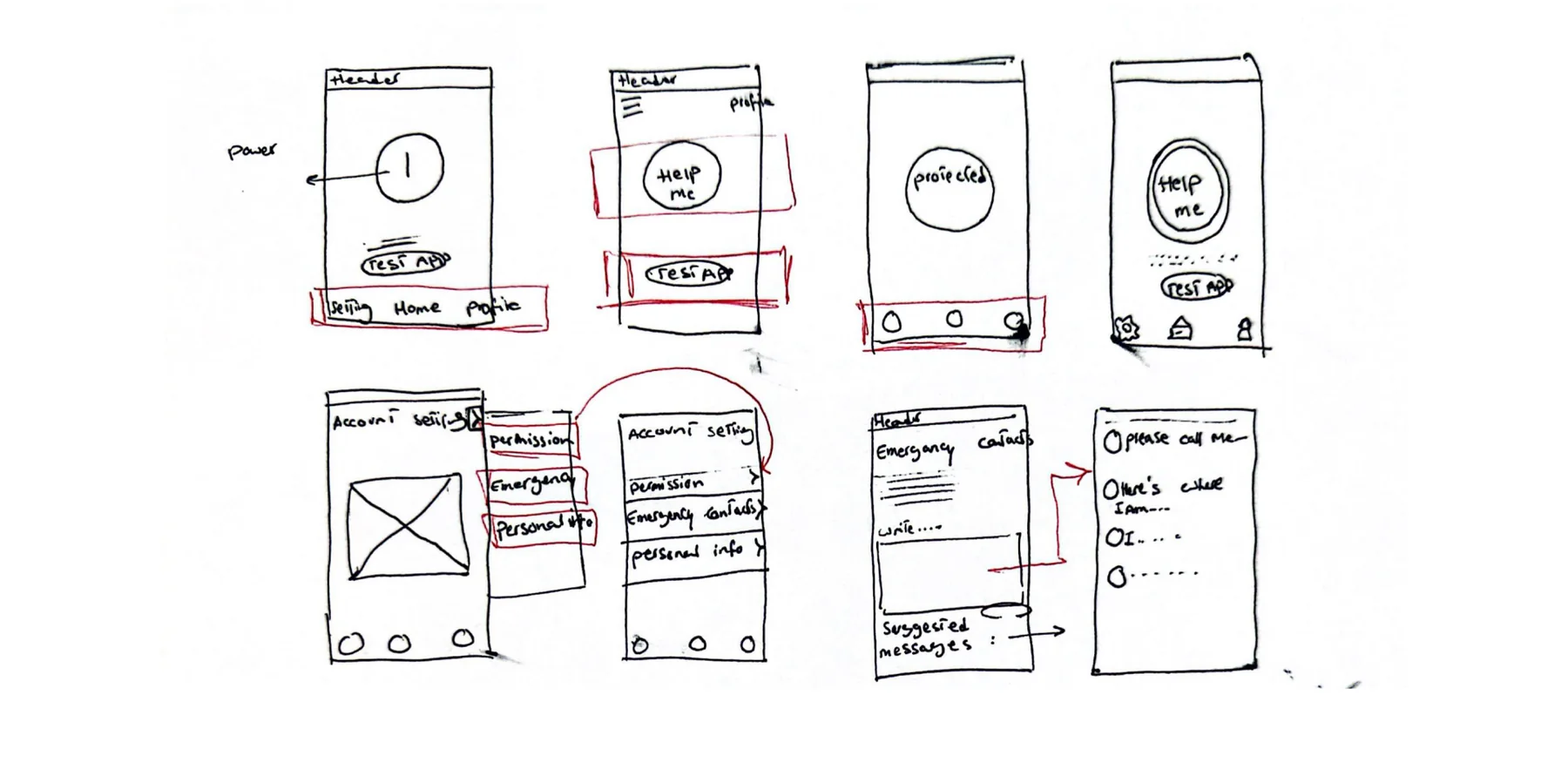
Sketches and wireframes are the fastest way to share a design idea, and we can make them in minutes. In a brainstorming session we ended up with two versions of sketches. For each element we asked: why is it here, and how did what we know about our users and their goals shape it?

Hand-drawn sketches of the main page, account settings and emergency contacts
Paper sketches: the main page, account settings and emergency contacts.

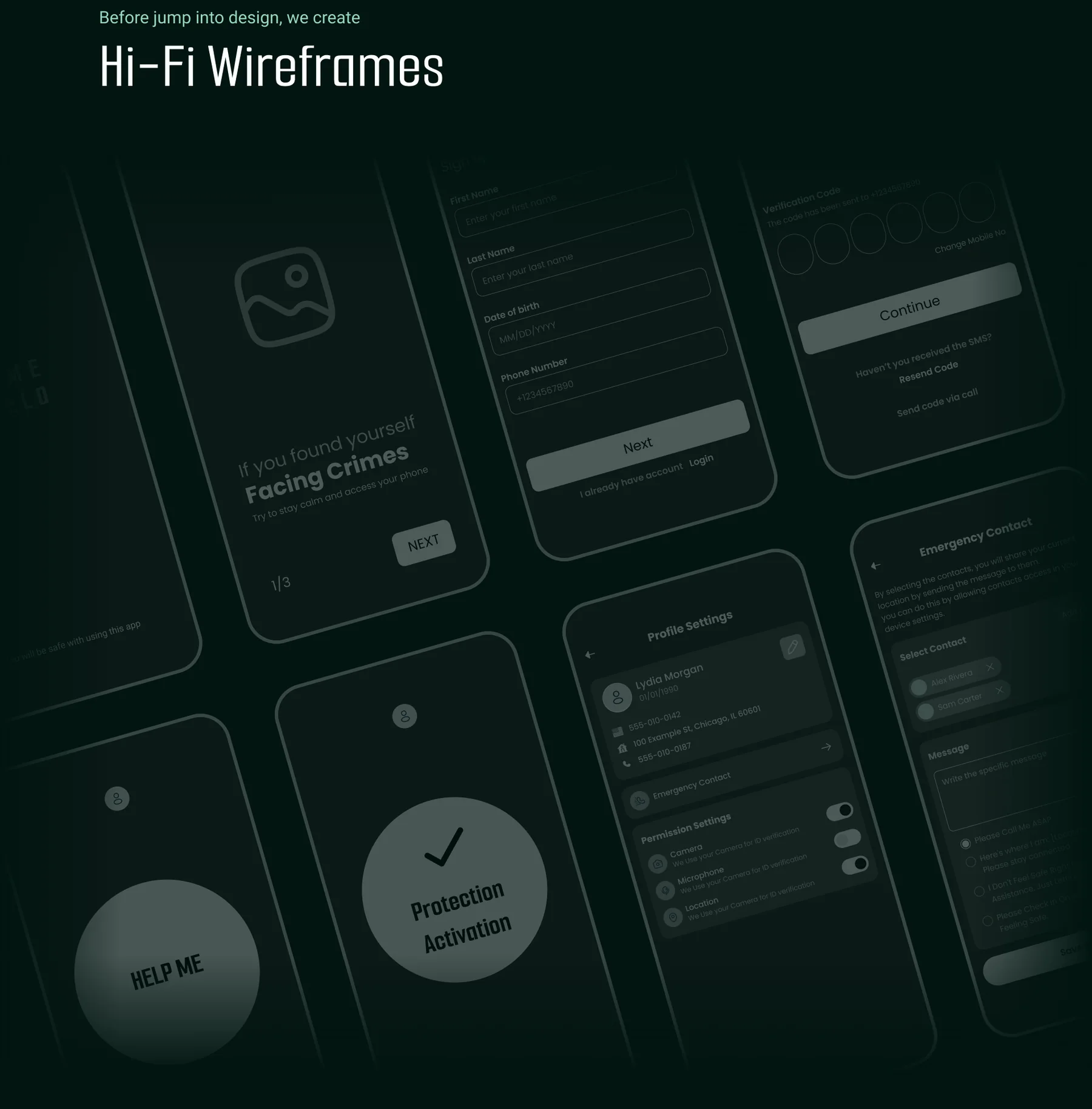
Hi-fi wireframes

Before jumping into the visual design, we created high-fidelity wireframes of every step: facing a crime, mobile verification, sign-up, emergency contacts, permissions and the Help Me button.
High-fidelity wireframes of the Crime Shield flow in a dark, tilted layout

06 — Test

What users told us.

We ran two rounds of usability studies. The first guided the move from wireframes to mockups. The second used a high-fidelity prototype and showed which parts of the mockups still needed work.

07 — Prototype

A low-fi prototype, end to end.

The low-fidelity prototype connected the main user flow, from sign-up through to calling the police, and asked for permission to use the device’s location, recorder and contact list.

Low-fidelity prototype screens in a tilted collage: splash, mobile verification, Help Me, profile settings and more

08 — Iterate

The second round changed everything.

After empathising with our audience and learning what they feel and need, we ran a second round of interviews. It showed what the design needed and how we could help them better.

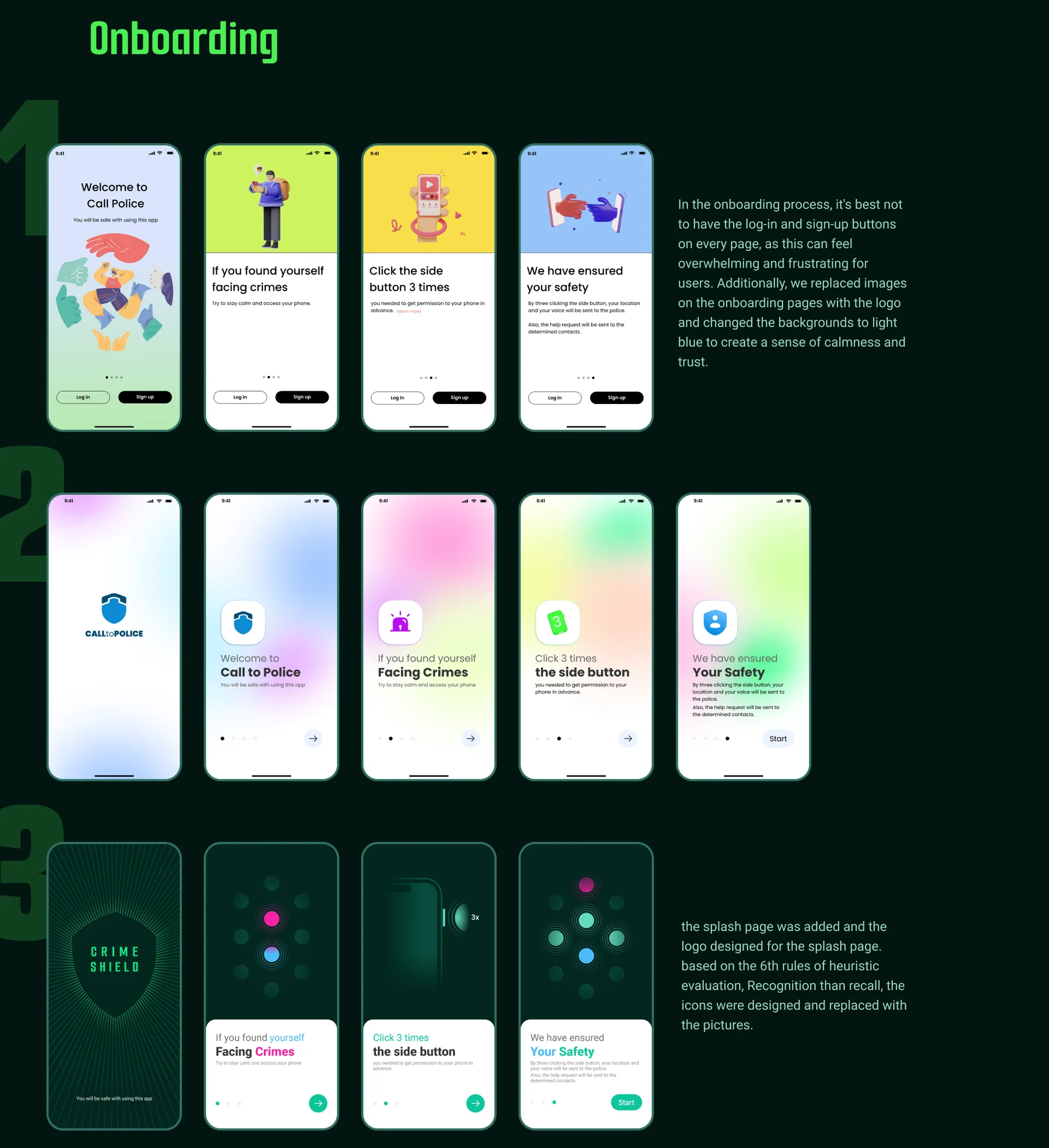
  • OnboardingCalmer, with fewer buttonsLog-in and sign-up buttons on every page felt overwhelming and frustrating, so they came out. The pictures on the onboarding pages became the logo, and the backgrounds changed to light blue to create a sense of calm and trust.
  • RecognitionA splash page and iconsWe added a splash page and designed the logo for it. Following the sixth rule of heuristic evaluation, recognition rather than recall, icons replaced the pictures.
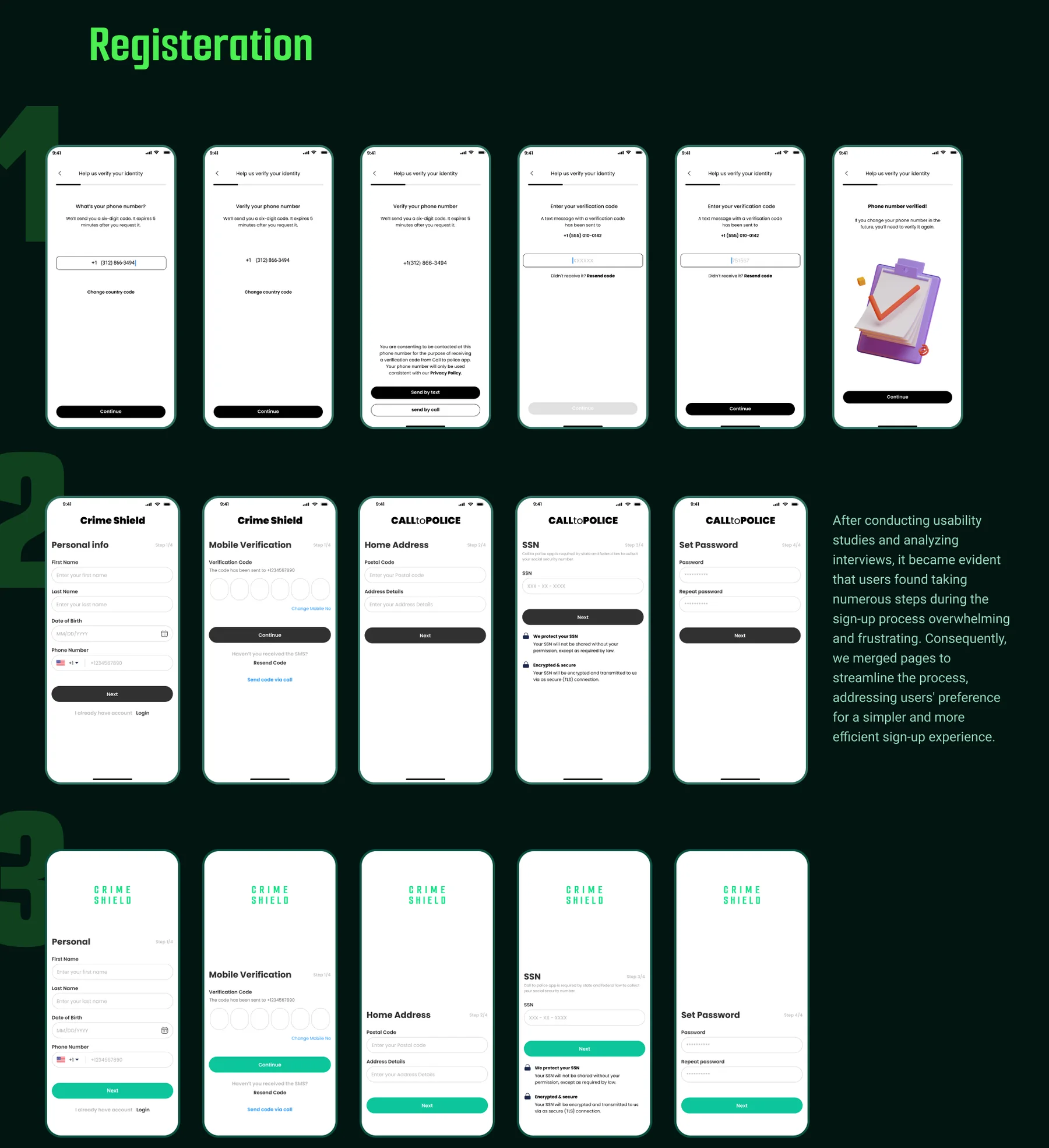
  • RegistrationFewer steps to sign upUsers found the many sign-up steps overwhelming and frustrating, so we merged pages to make registration simpler and more efficient.
Onboarding · three iterationsSwipe to explore
Three iterations of the onboarding screens, from the first version to the final one
Registration · three iterationsSwipe to explore
Three iterations of the registration flow, from six steps down to a shorter one

09 — Final design

The final screens.

Onboarding

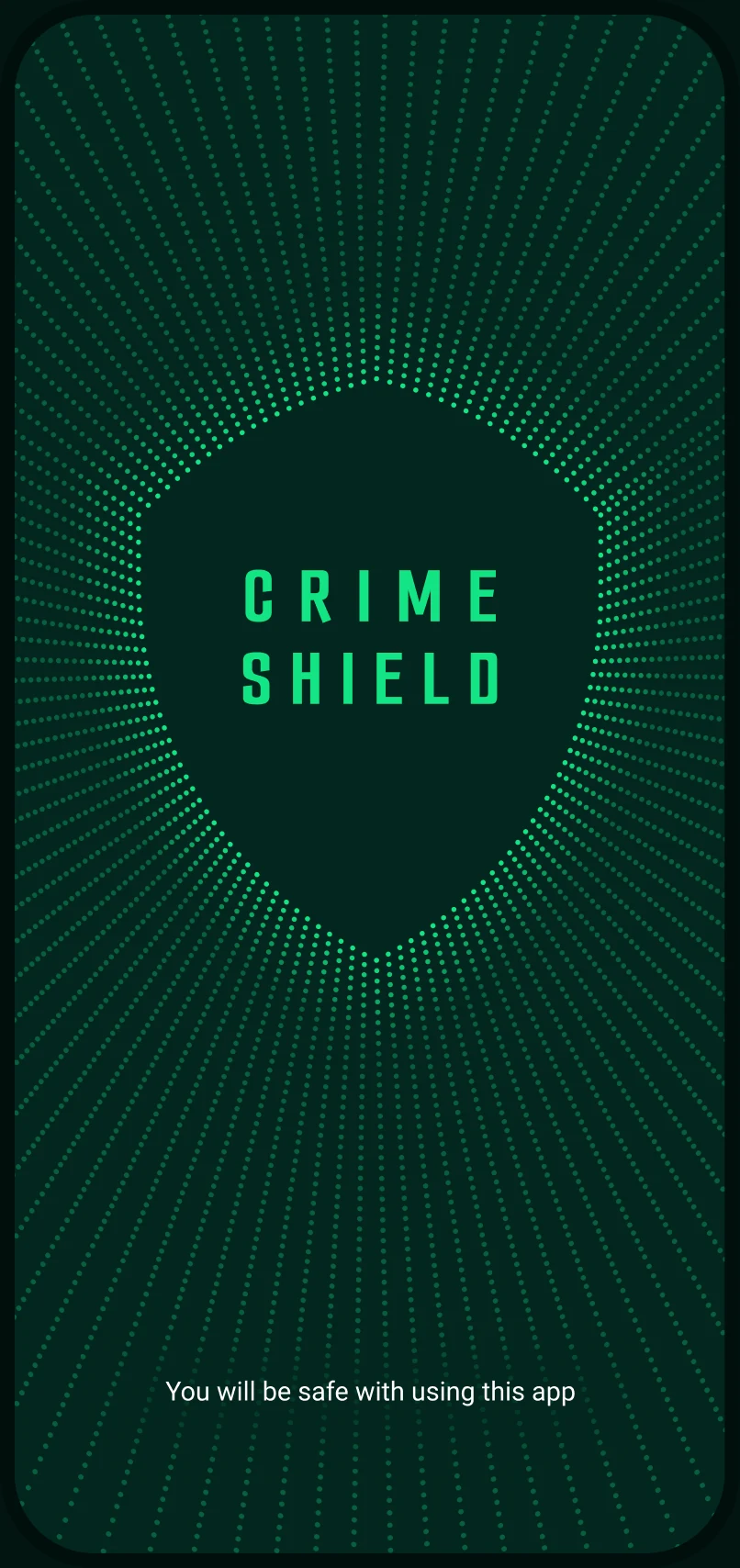
Splash screen with the Crime Shield logo
Splash
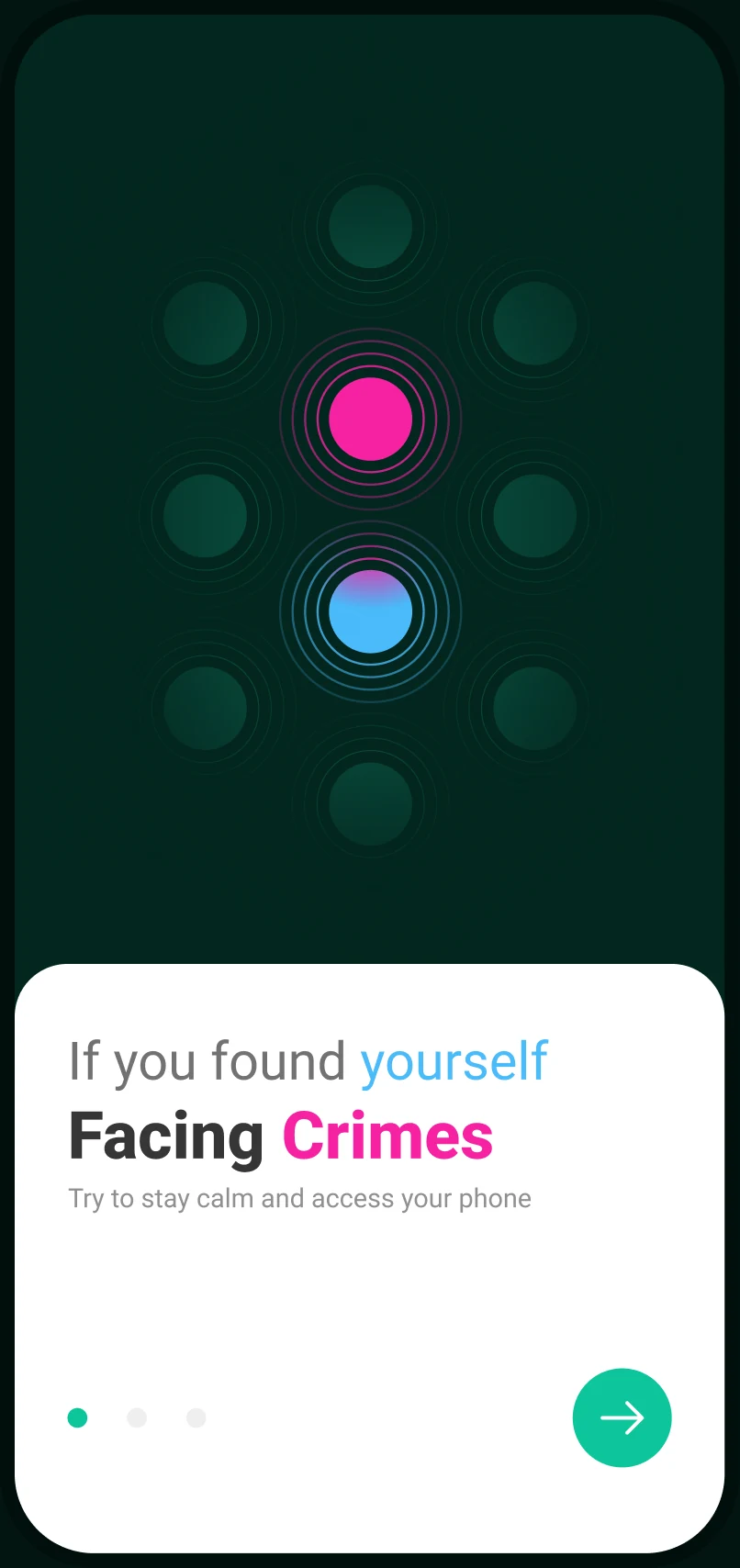
Onboarding: If you found yourself facing crimes
Facing crimes
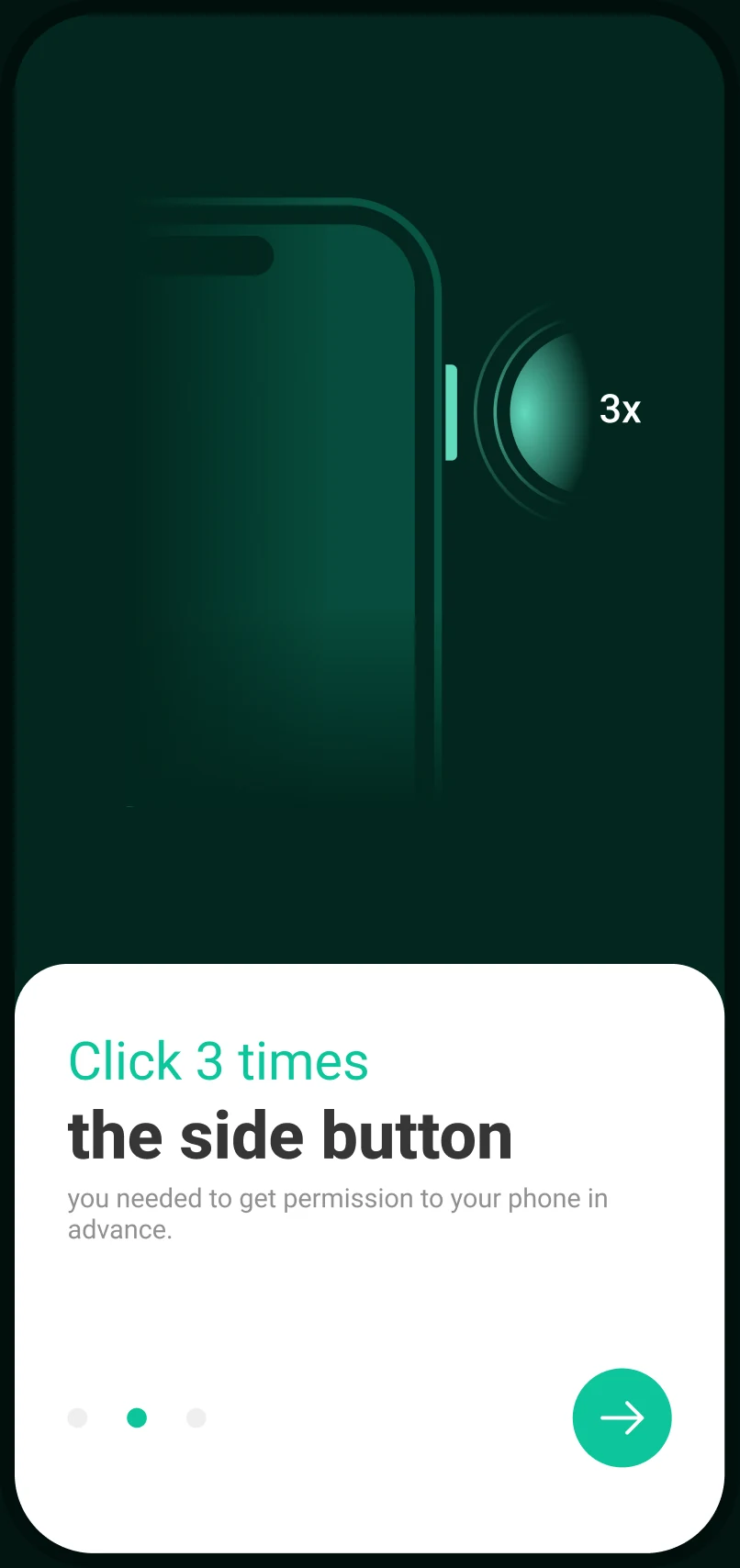
Onboarding: click 3 times the side button
3 clicks
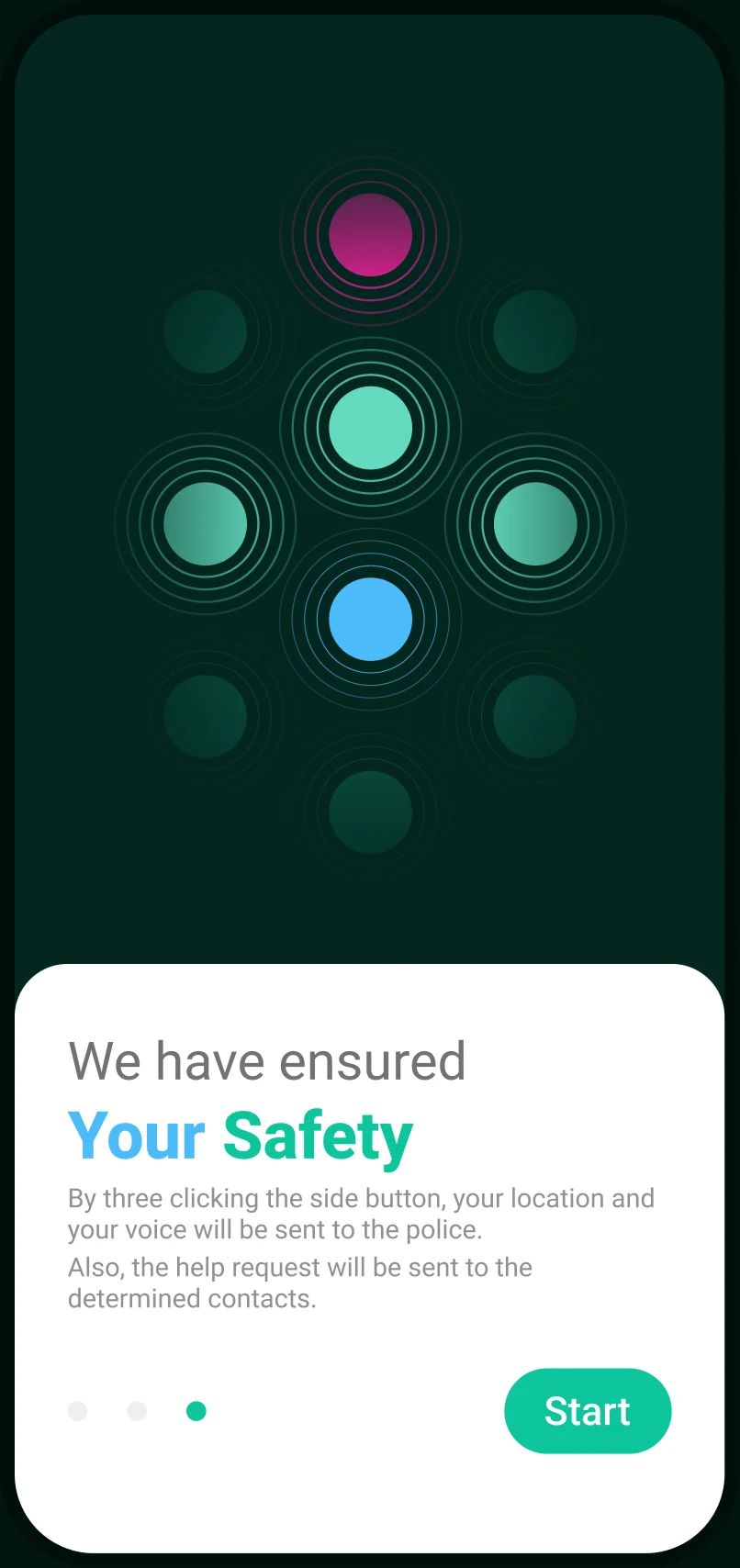
Onboarding: we have ensured your safety
Your safety

Register and login

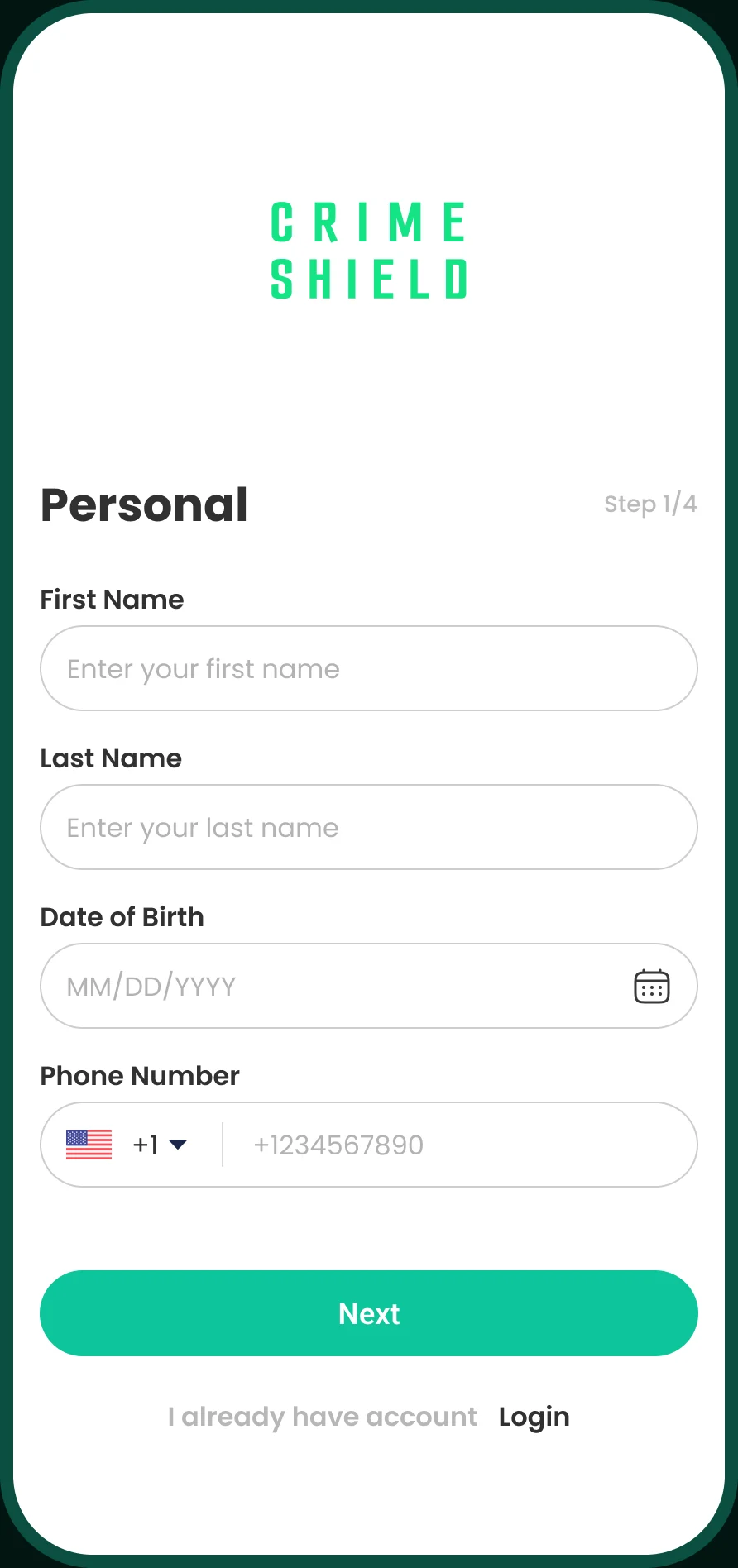
Personal details form, step 1 of 4
Personal
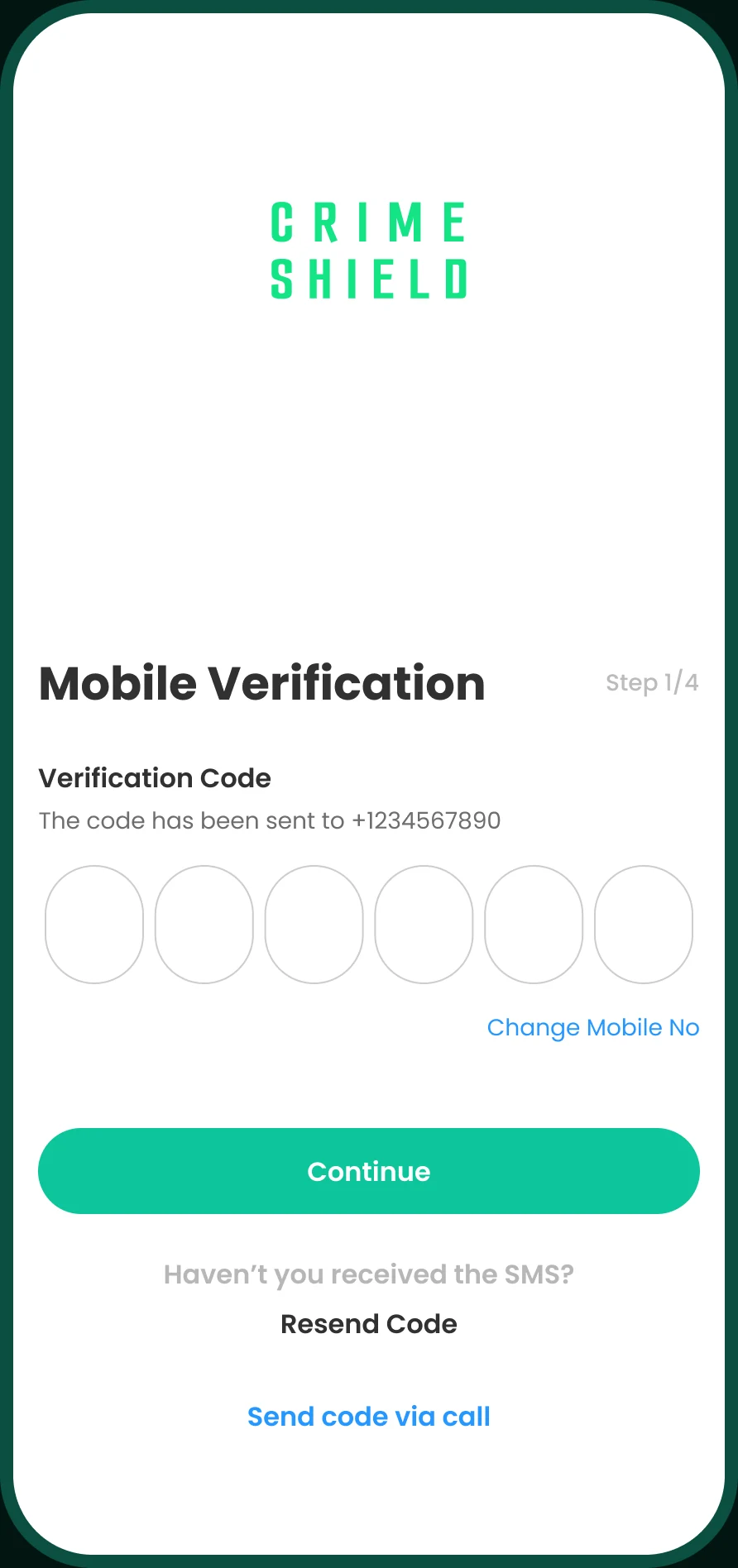
Mobile verification with a six-digit code
Verification
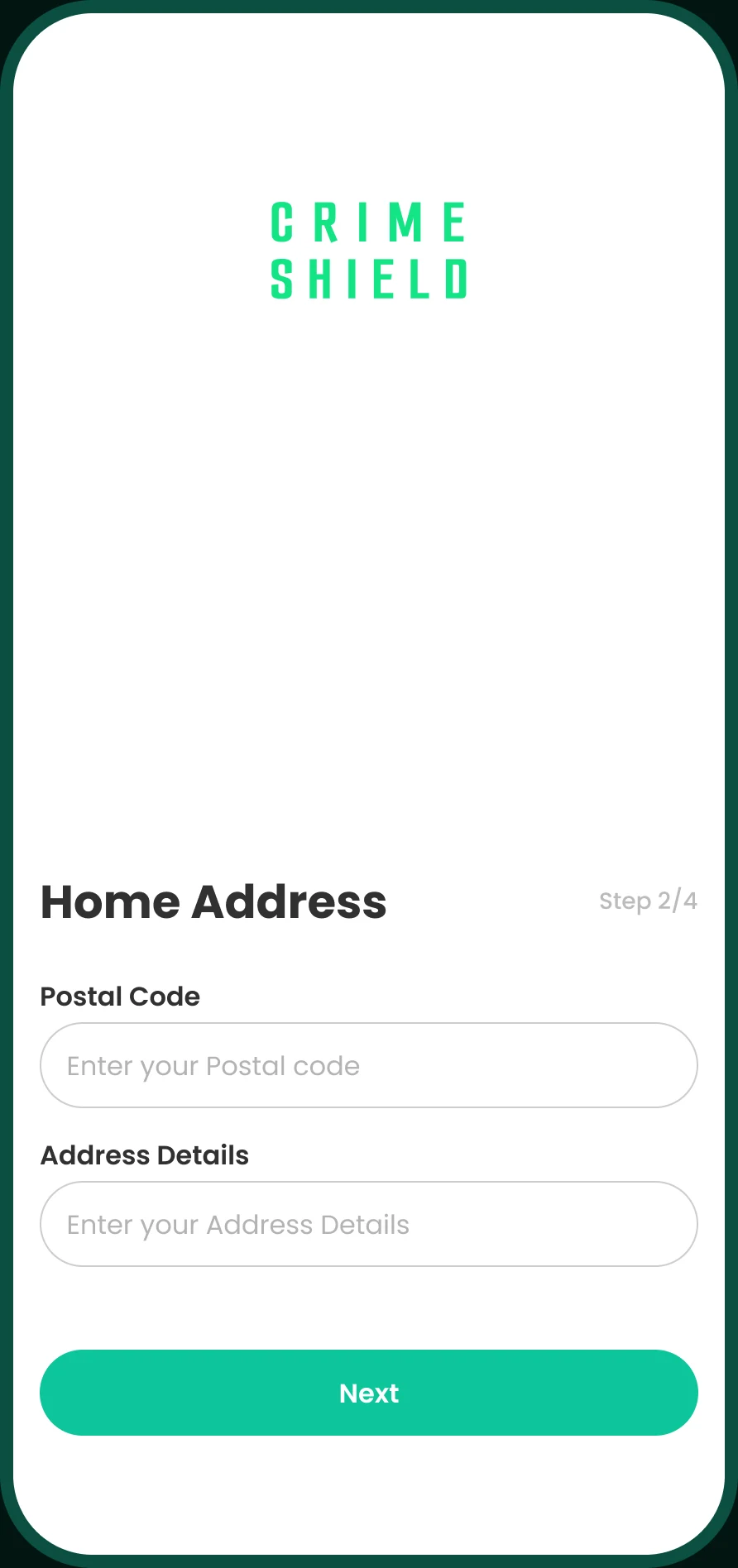
Home address form
Address
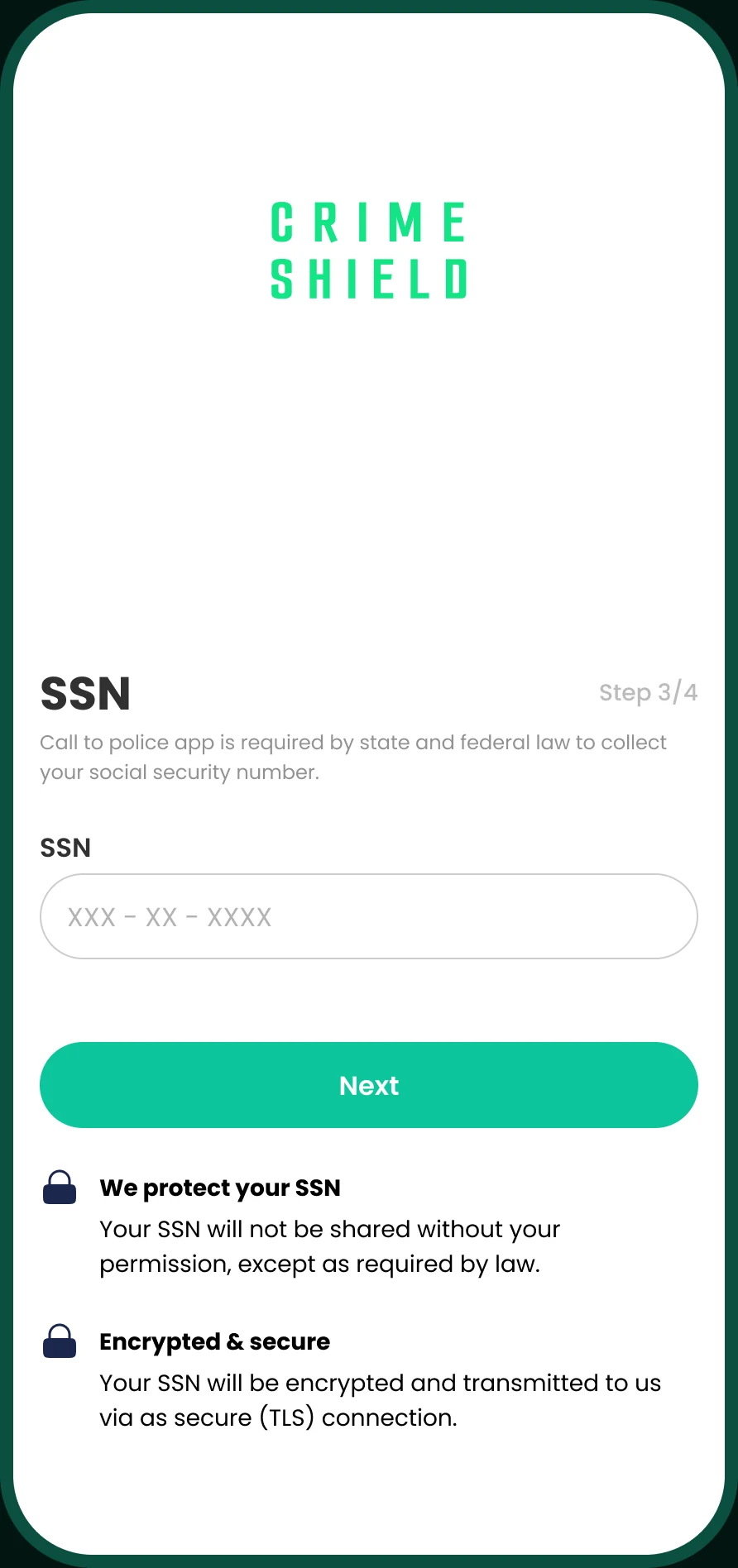
SSN screen explaining encryption and privacy
SSN
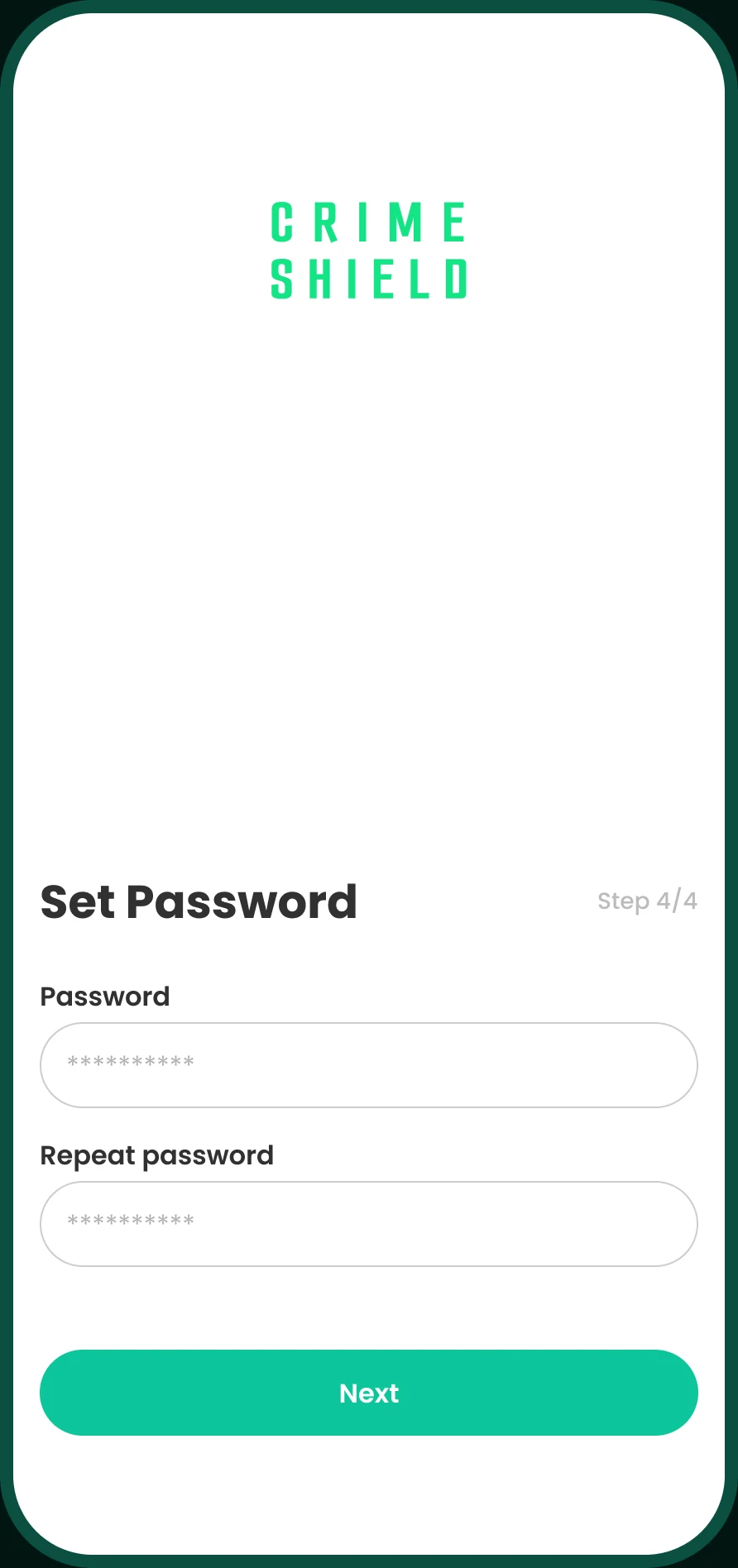
Set password screen
Password
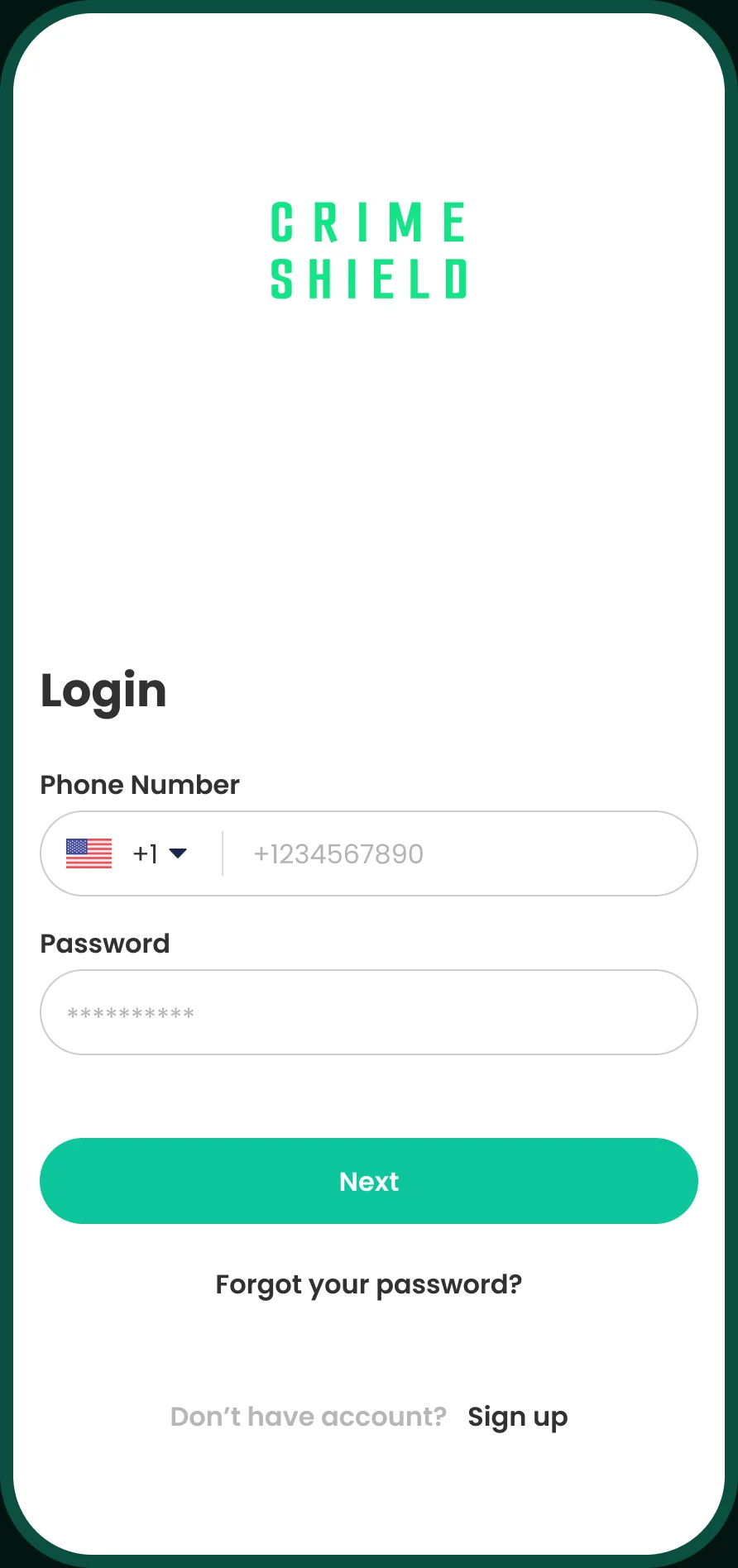
Login screen
Login

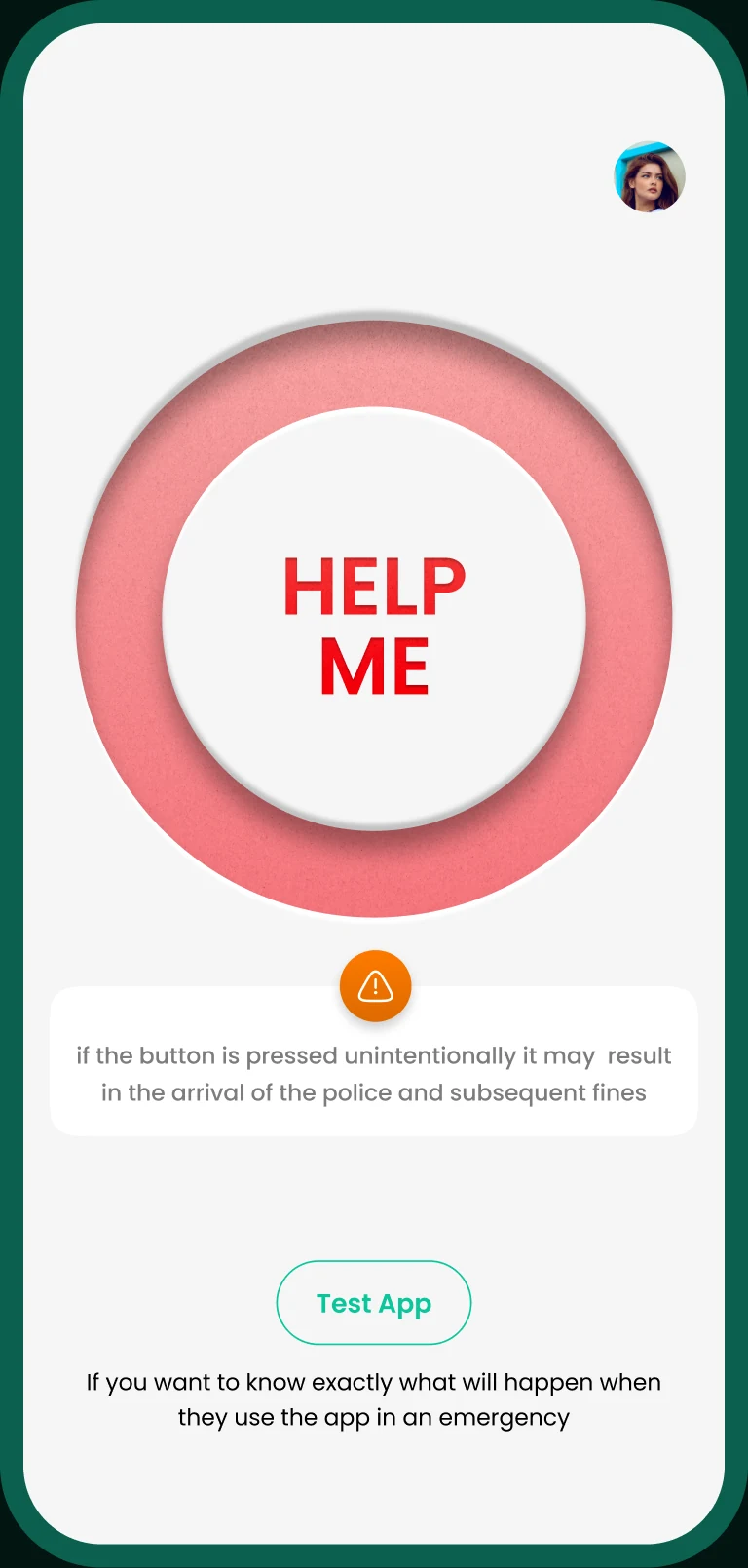
Main page

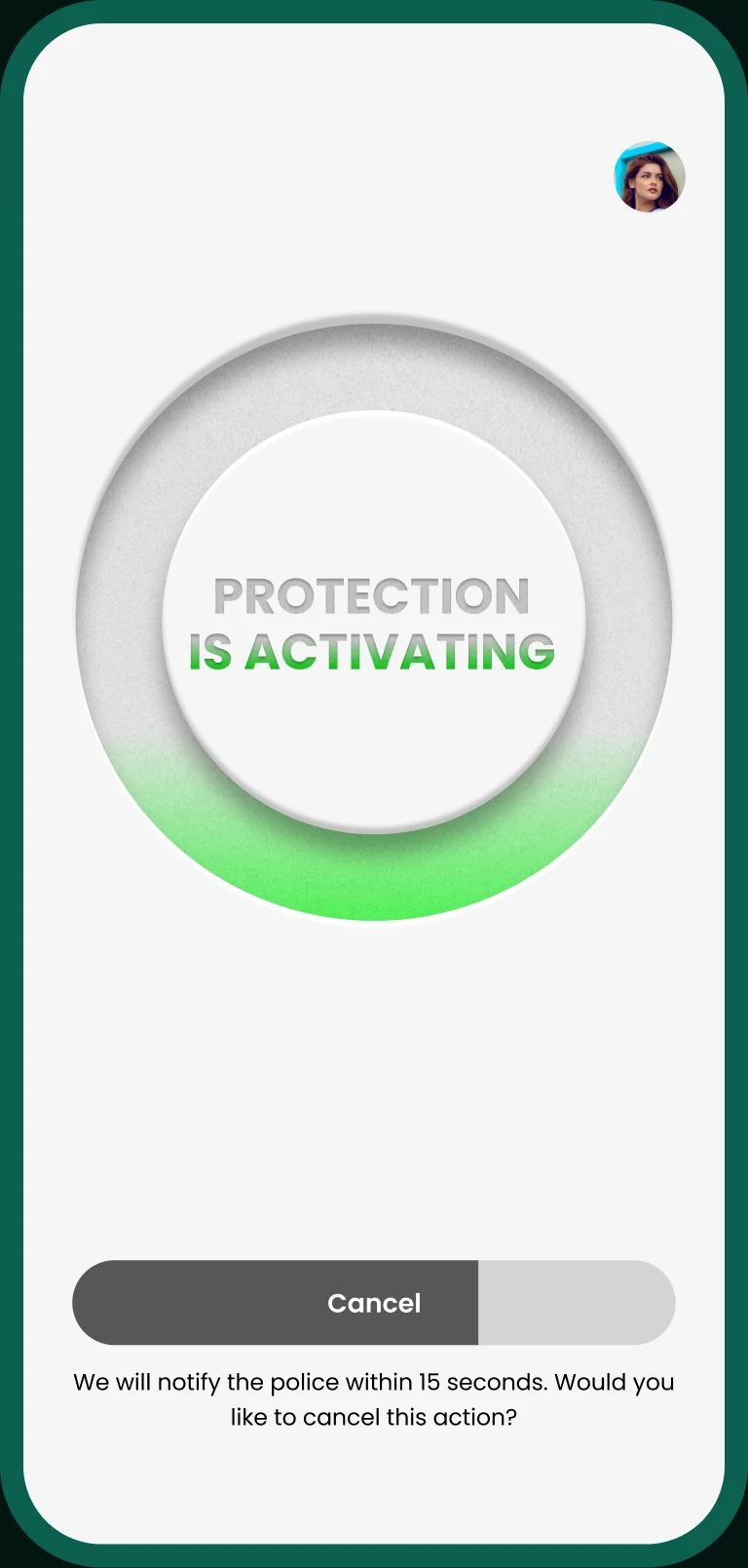
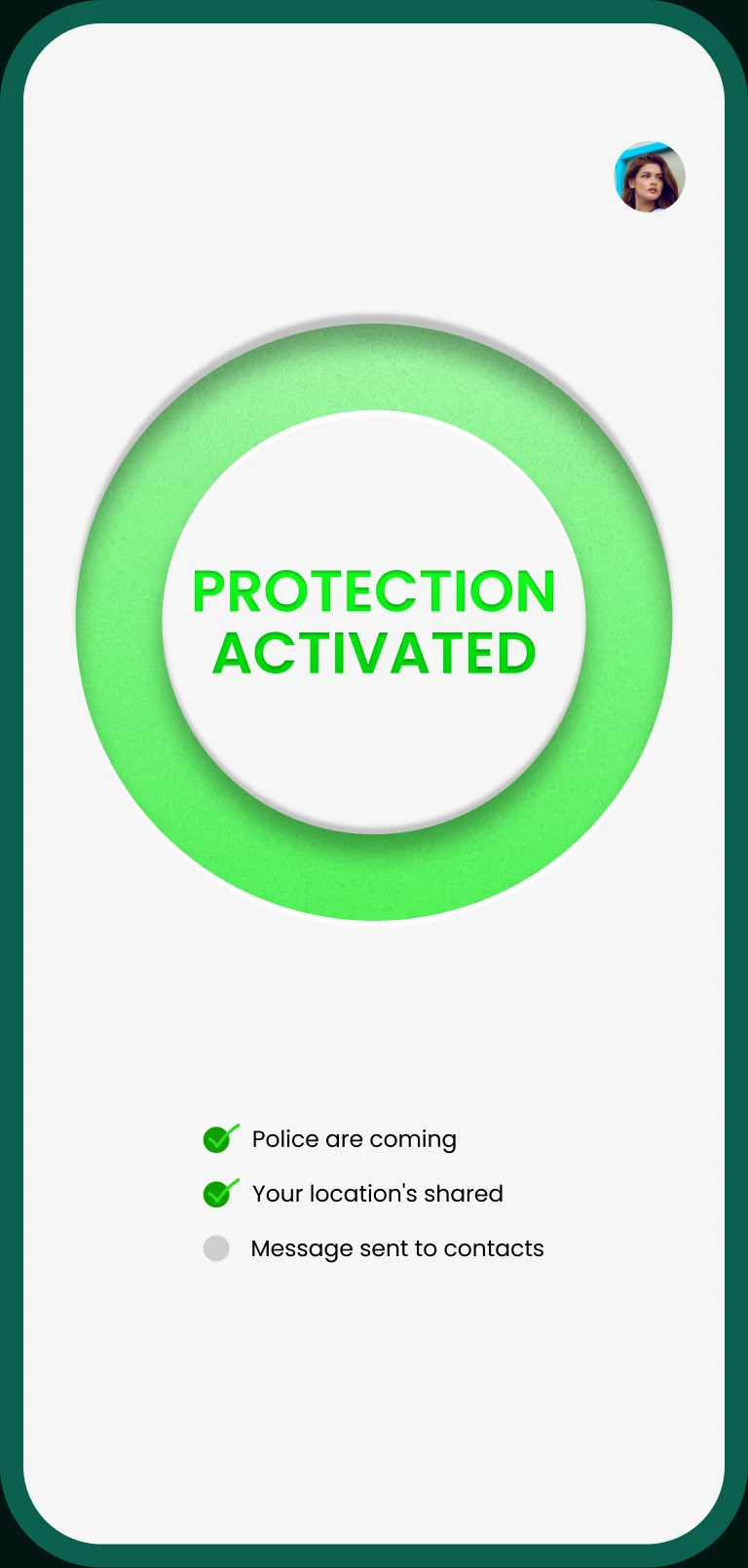
Main page with the red Help Me button Protection is activating, with a Cancel slider Protection activated: police are coming, location shared, message sent to contacts

Profile settings

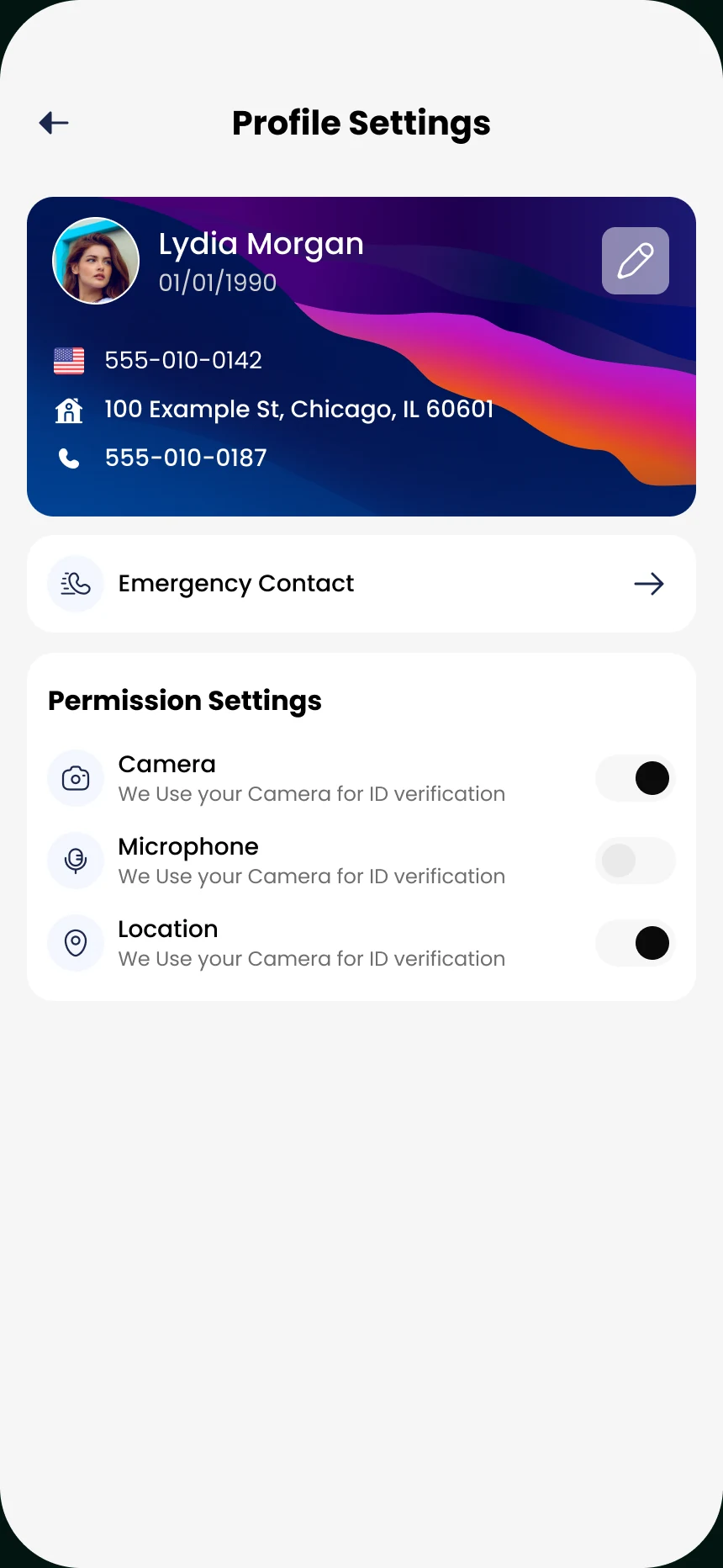
Profile settings with a card, emergency contact and permission switches
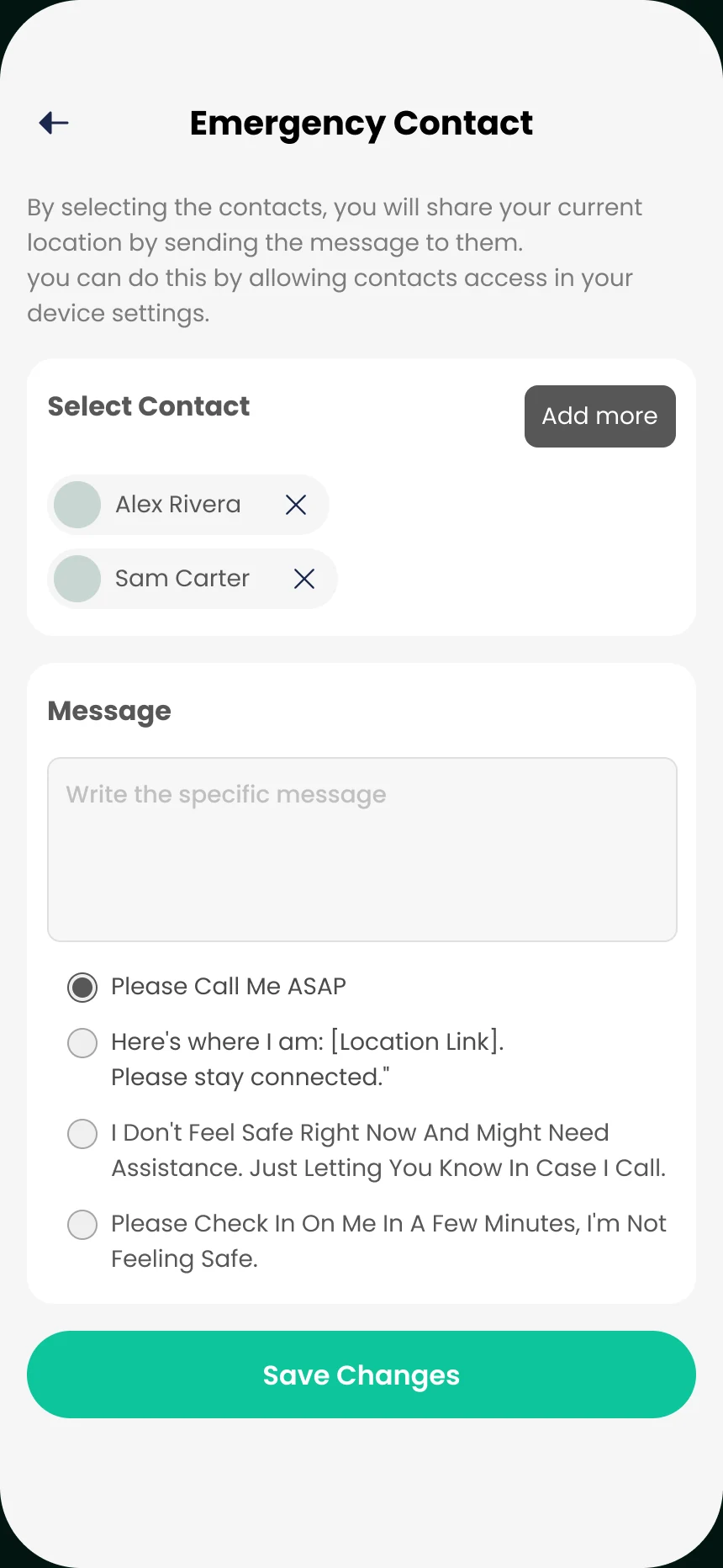
Emergency contact screen with selected contacts and a message to send

10 — What’s next

Where it goes from here.

The next steps we planned:

  1. Run an A/B test on the landing page.
  2. Build the rest of the pages for every U.S. state, and test them in usability studies to make sure the target audience can use the app efficiently.
  3. Create a responsive version of the design.

More case studies

Keep exploring.