The brief
The company asked me to improve the brand identity, fix the user flows, add competitive features and design an up-to-date website that could scale.
01Portmasters
Case studyLogisticsWeb platform
Portmasters connects freight carriers with the people who ship. I took it from the first stakeholder interview to a developer-ready UI kit.
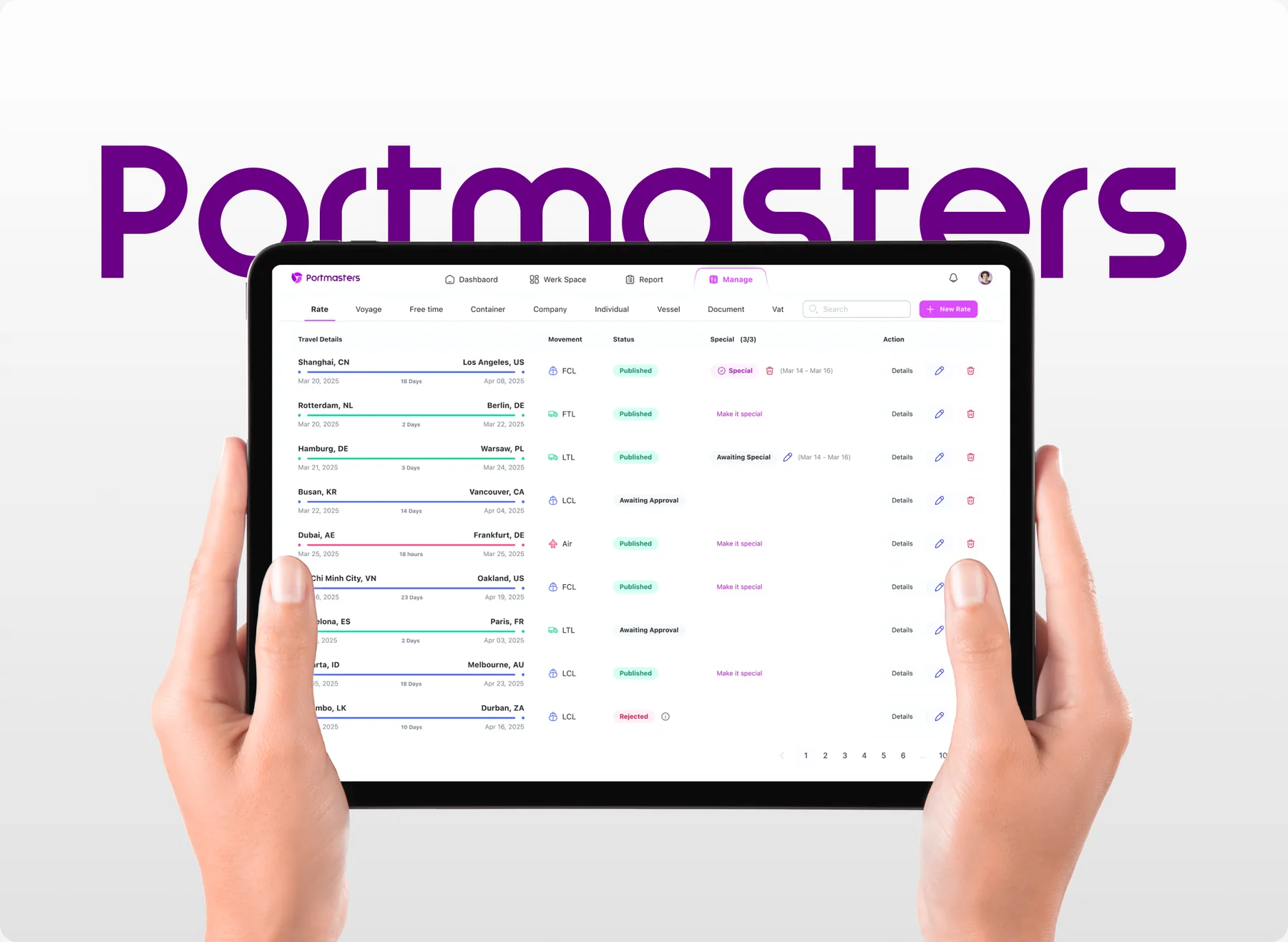
01 — Overview
Large carriers, forwarders and individual shippers still coordinate cargo by phone and in person. There was no transparent price comparison and no real-time tracking. Every company managed its orders, its team and its payments by hand.
The company asked me to improve the brand identity, fix the user flows, add competitive features and design an up-to-date website that could scale.
Competitor analysis and user research showed where to focus. The answer was dedicated dashboards for each user segment, with the most requested features built in first.
02 — Process
I planned the work as four phases and ended every stage with an agreement checkpoint with the client. At the end of each week the team and the client knew exactly which deliverables to expect.
The roadmap: 18 activities in four phases, from July to March. Pick a phase above to see what it covered.
03 — Research
From the stakeholder interviews and a quick discovery step I wrote down what the product had to solve. Each problem got a concrete product answer.
Interviews
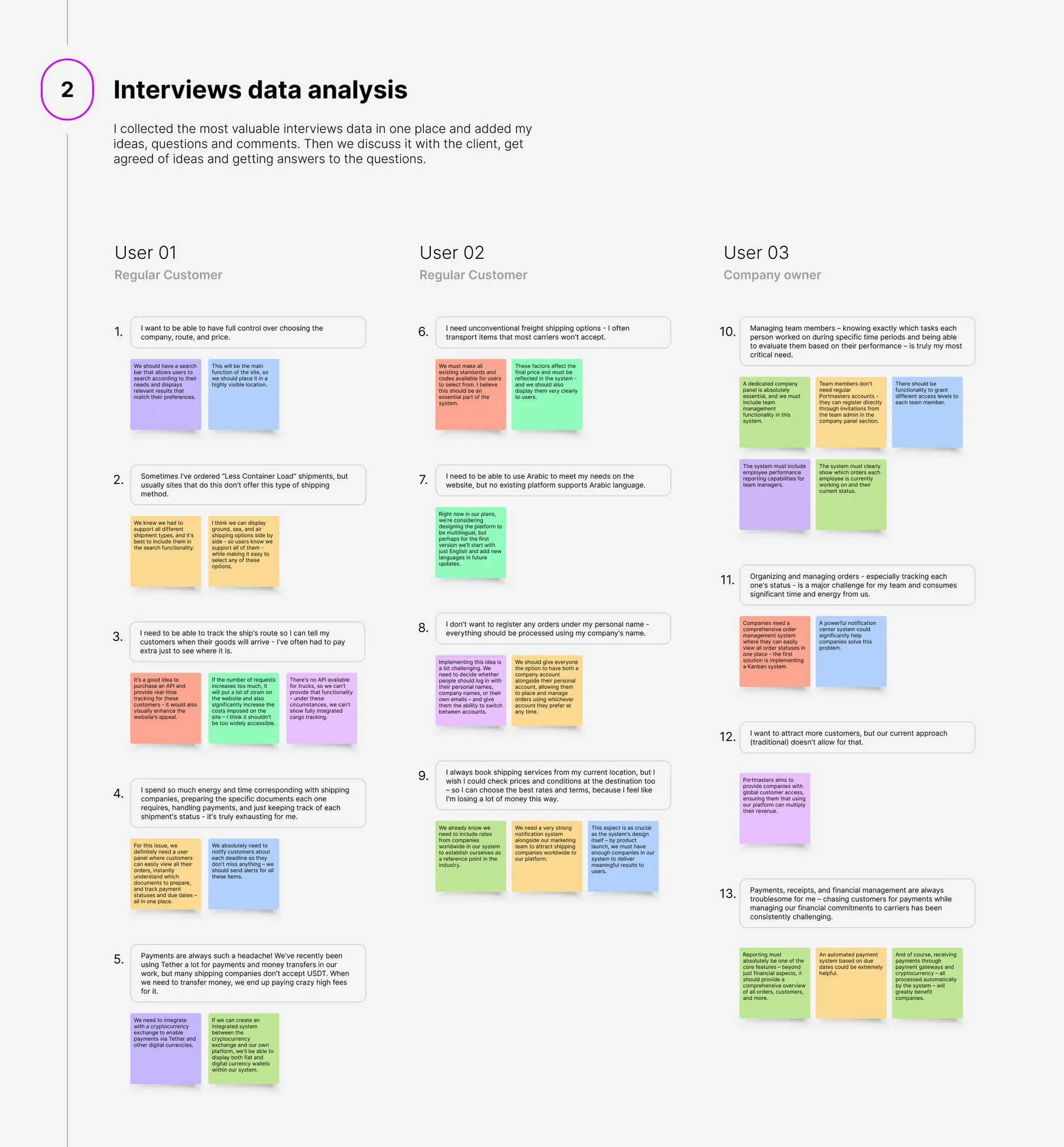
I put the most valuable interview data in one place and added my ideas, questions and comments. Then we went through it with the client, agreed on the ideas and got answers to the open questions.
User 01 · Regular customer
“I want to be able to have full control over choosing the company, route, and price.”
DecisionA search bar front and centre: the main function of the site, in the most visible place.
User 02 · Regular customer
“I need unconventional freight shipping options. I often transport items that most carriers won’t accept.”
DecisionEvery standard and code available to choose from, and every price factor shown clearly.
User 03 · Company owner
“Managing team members… is truly my most critical need.”
DecisionA dedicated company panel. Team members join by invitation, each with their own access level.
How might we
I generated as many “How might we” questions as I could from what we already knew. For each one we sketched one or more ideas for solving it in the interface.
Competitors & structure
I analysed how competitors solve the same problems and collected UX and UI examples from each one. I added ideas, comments and questions to every example, to discuss with my team and the client.
Then I gathered everything from the first stage, grouped it by topic and grouped the groups again. That layered grouping gave the product its general structure and the points it stands on.
Next I turned every group into a precise written description of the interface of each module, as detailed as I could make it.
04 — Users
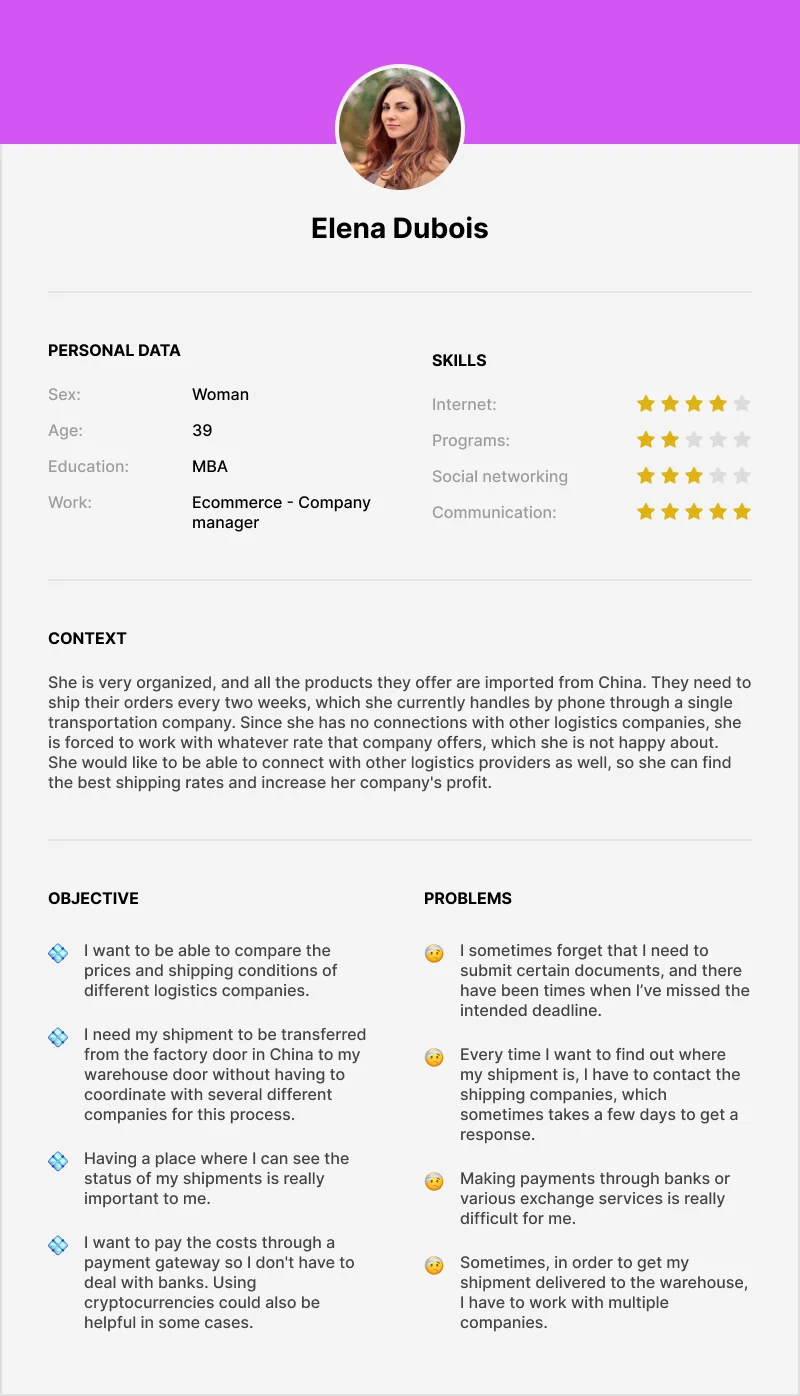
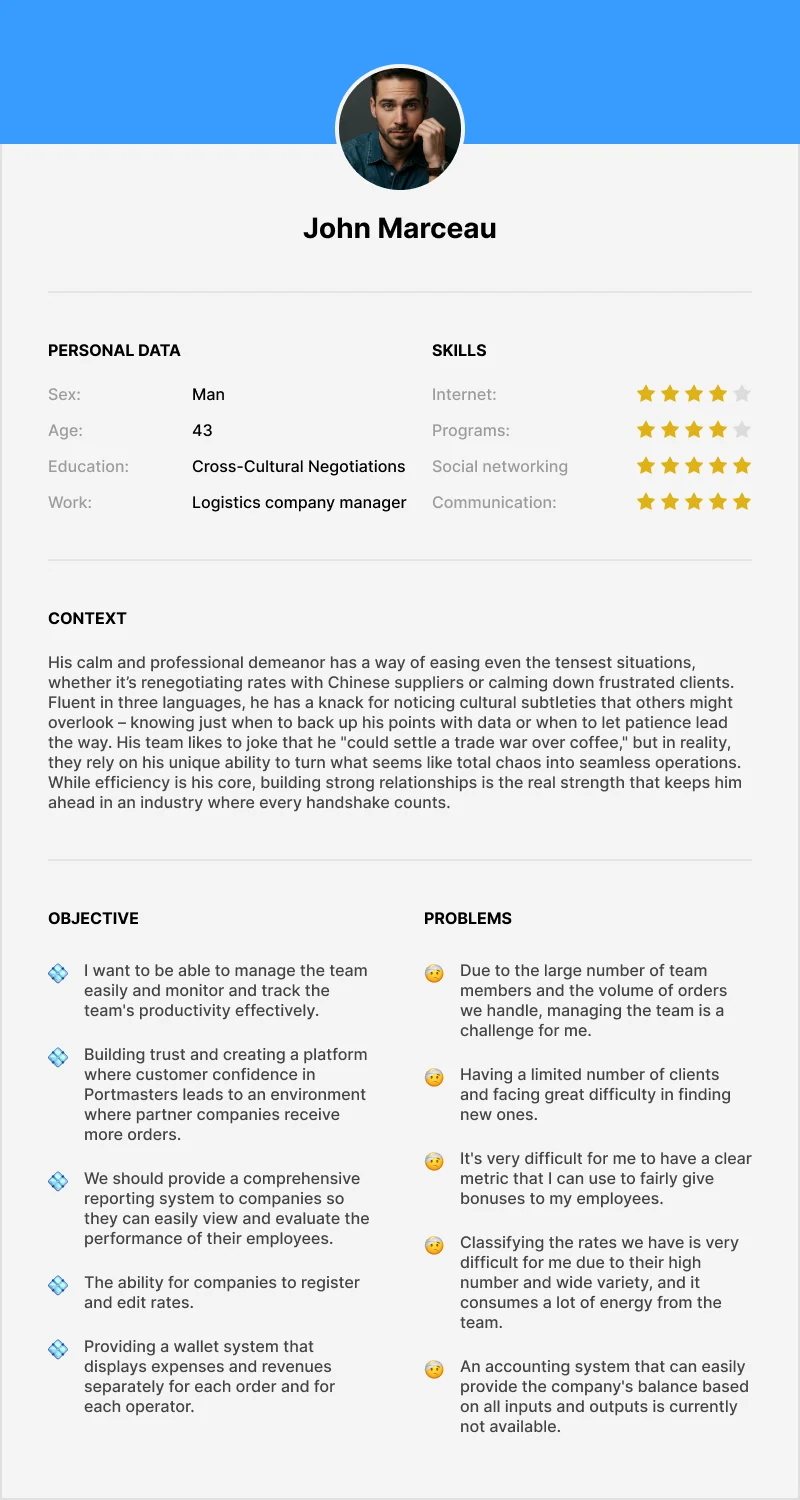
I built personas from the interviews to understand their objectives, problems and likely behaviour. Then I connected each persona to the agreed product structure and wrote a story map for them, to predict where the interface could go wrong.
05 — Structure
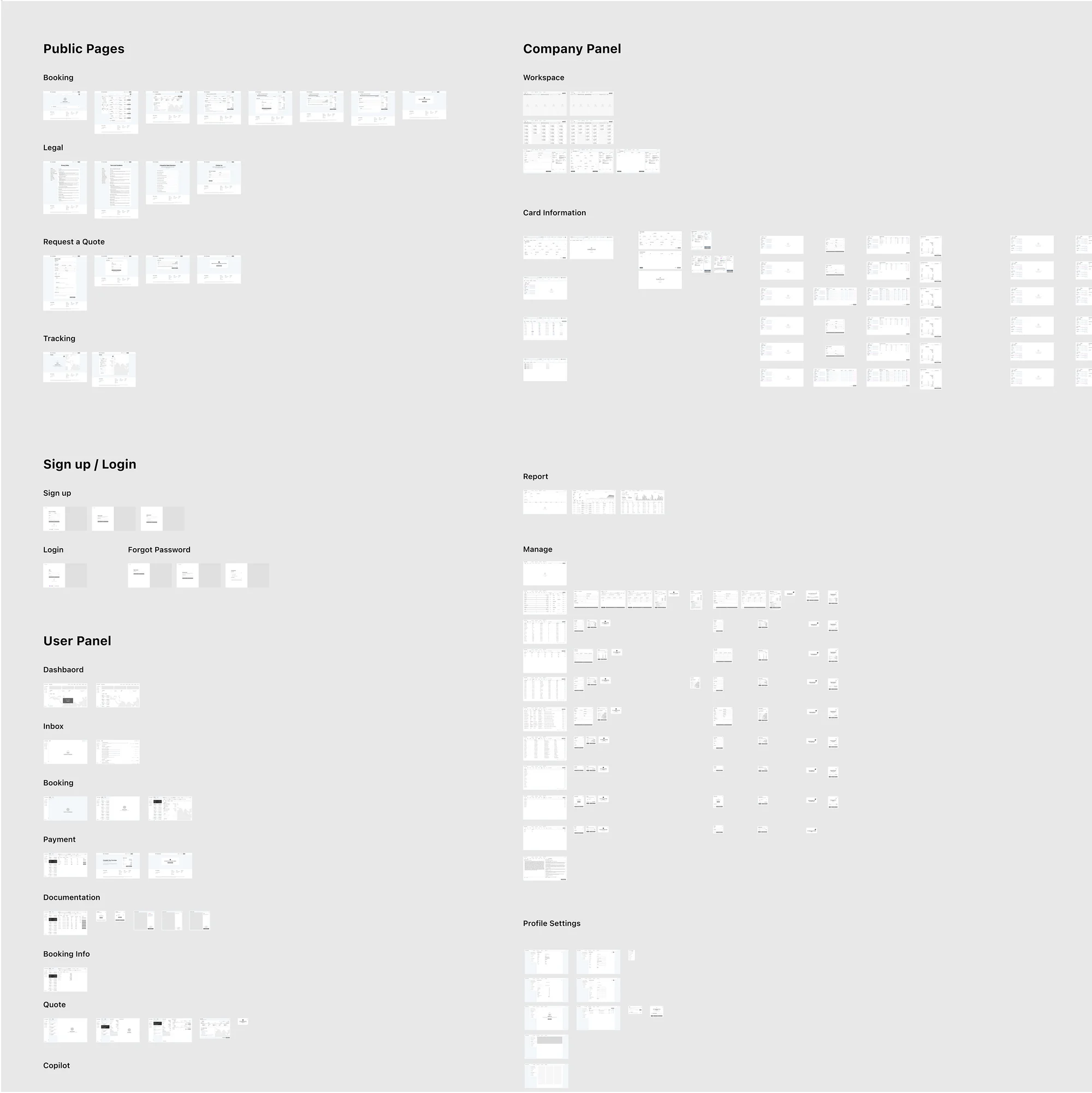
Based on the concept, the journey of each persona and the list of use cases, I could see the whole structure of the product. I drew low-fidelity wireframes for each module first, agreed them with the client, then raised them to high fidelity.
06 — Interface
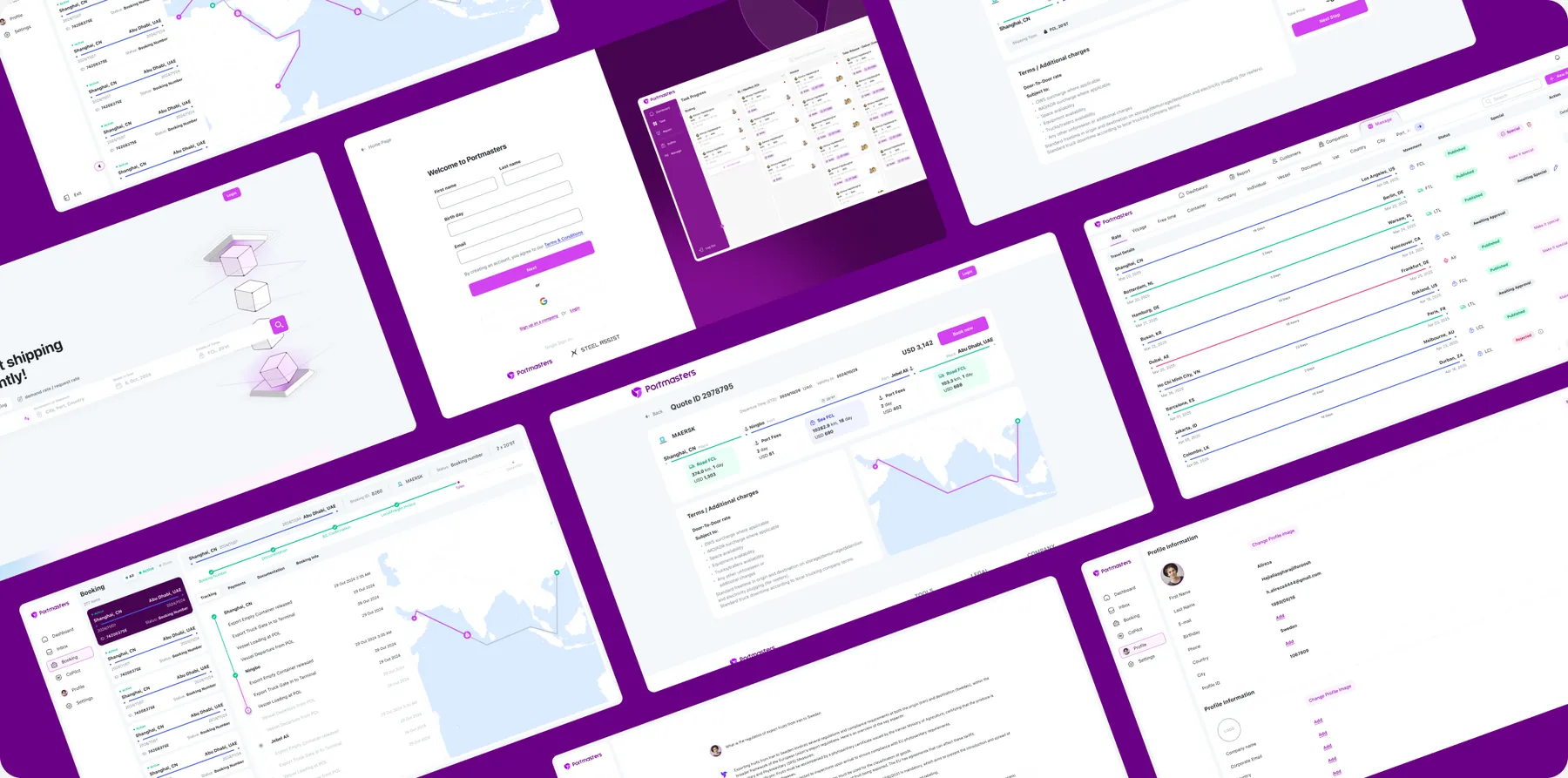
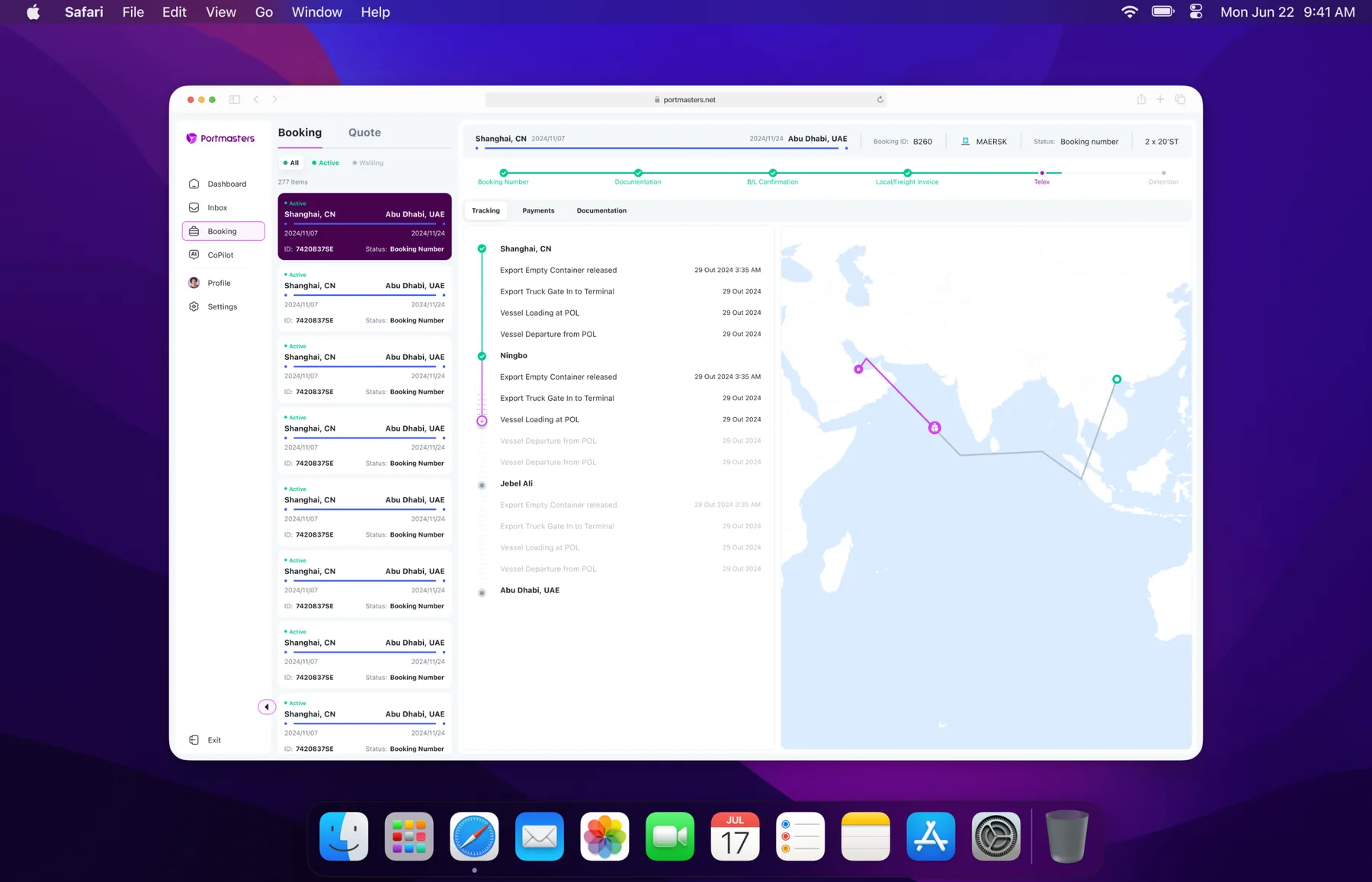
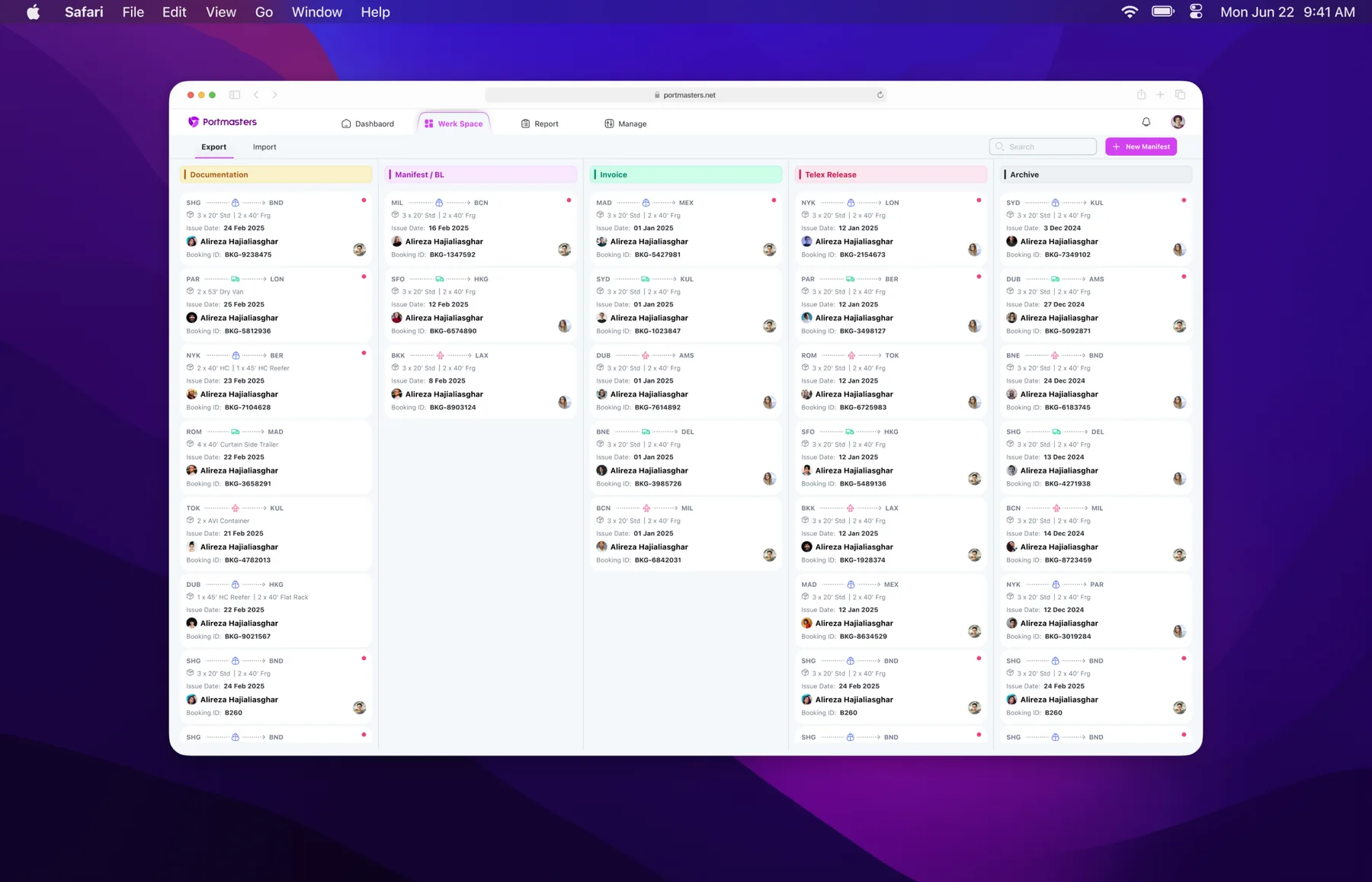
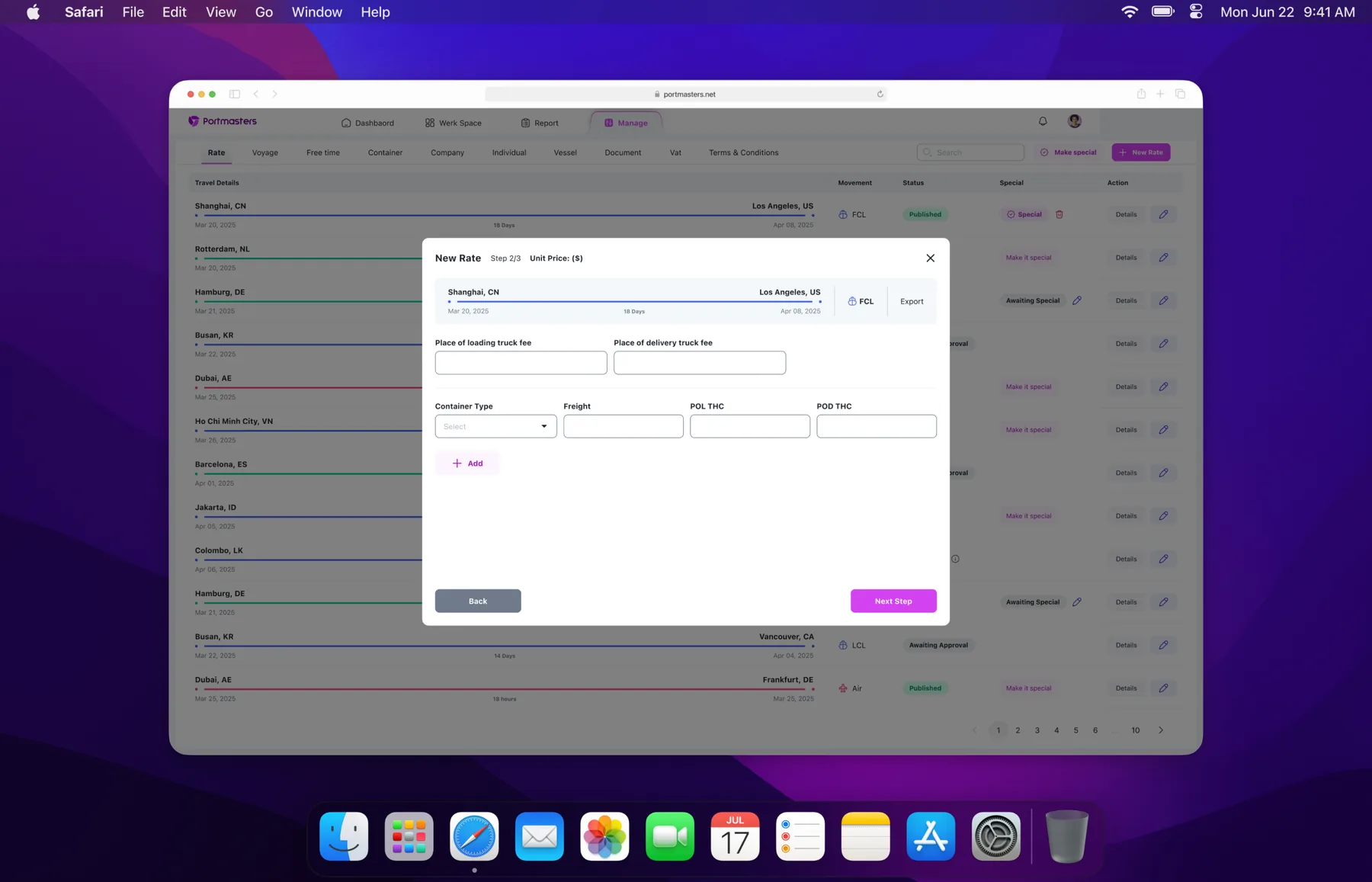
The UI is grouped logically by module and feature, so each user finds their own space.
01 / 04
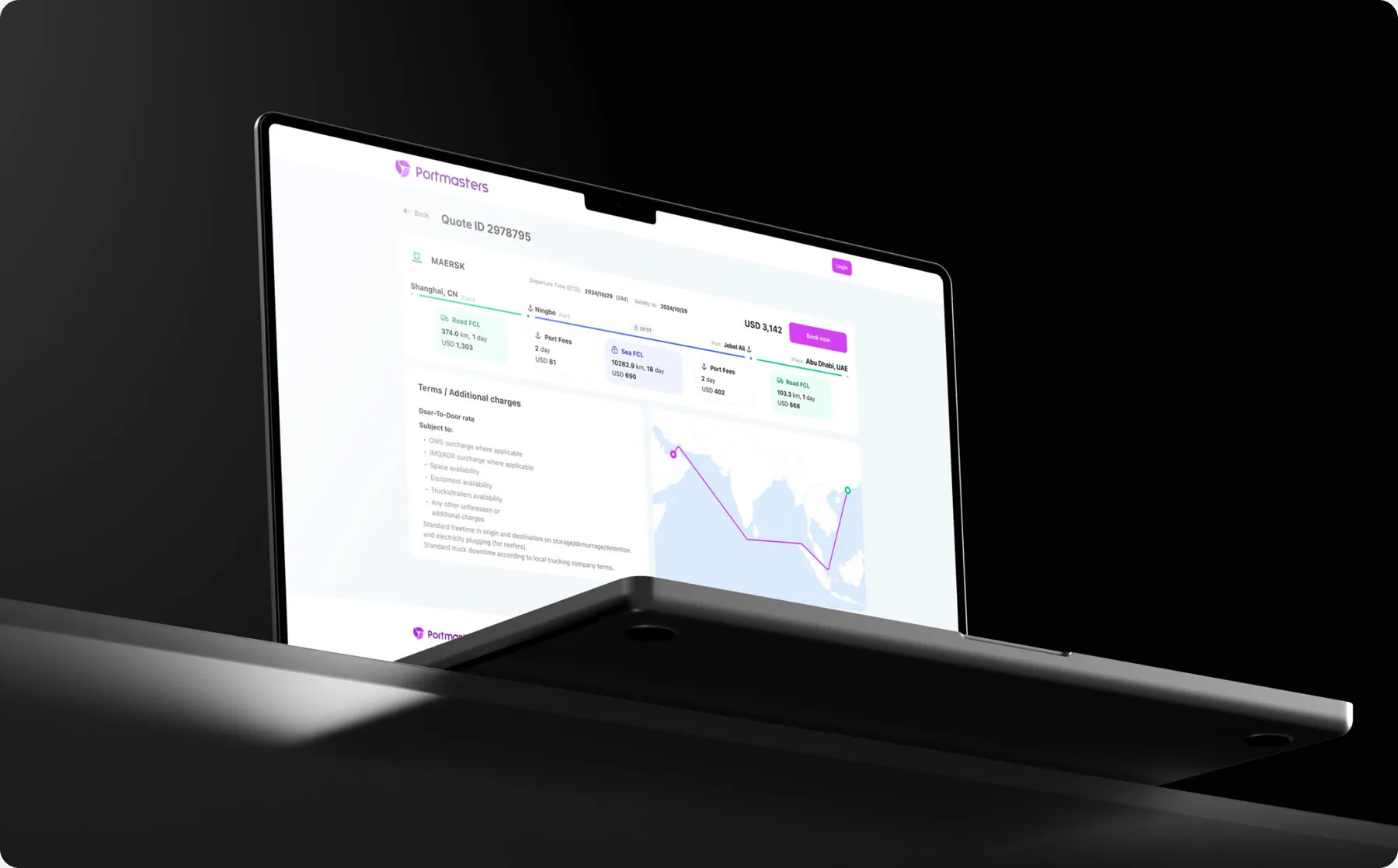
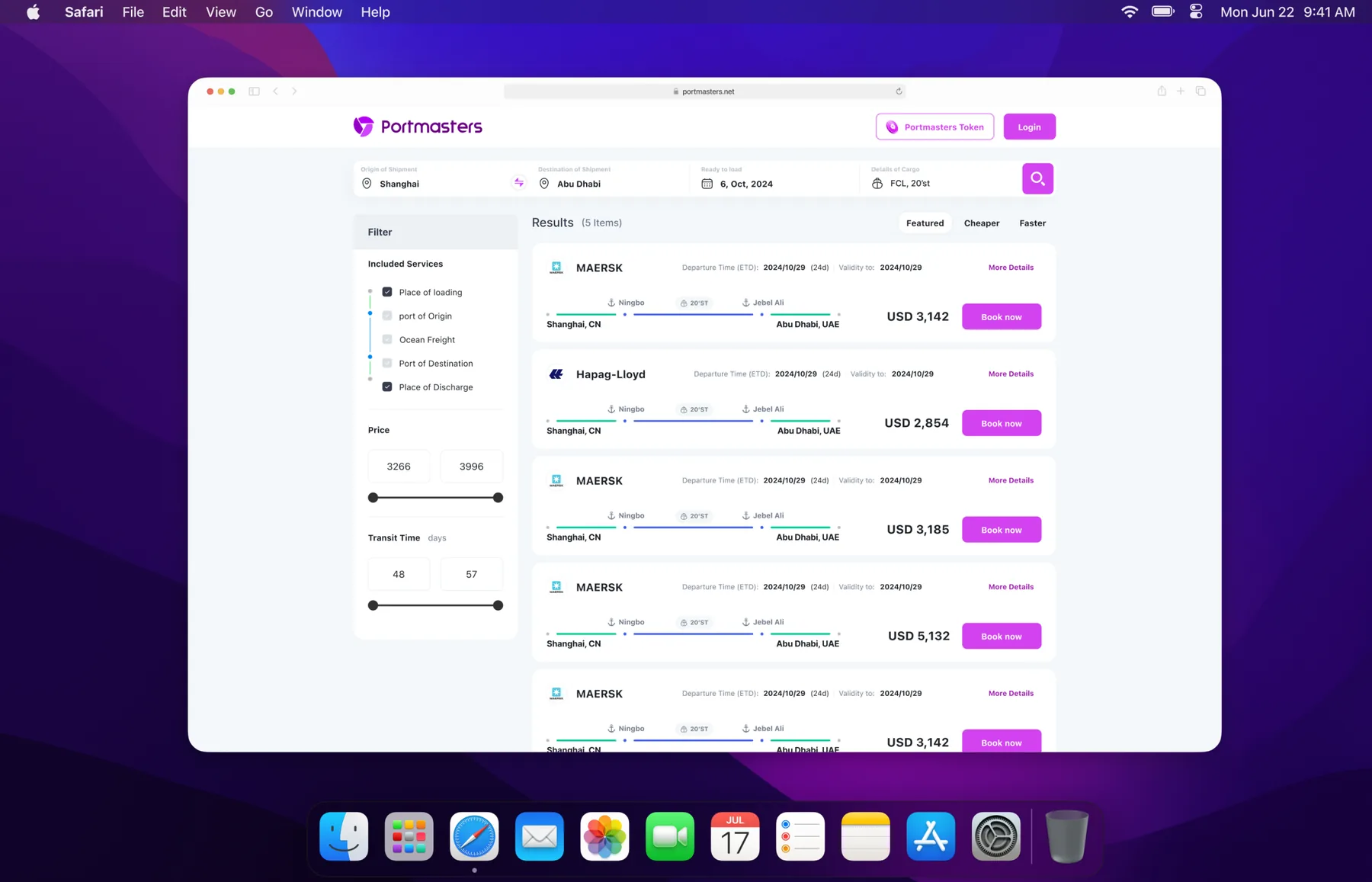
Rate search: filter by services, price and transit time, then book.
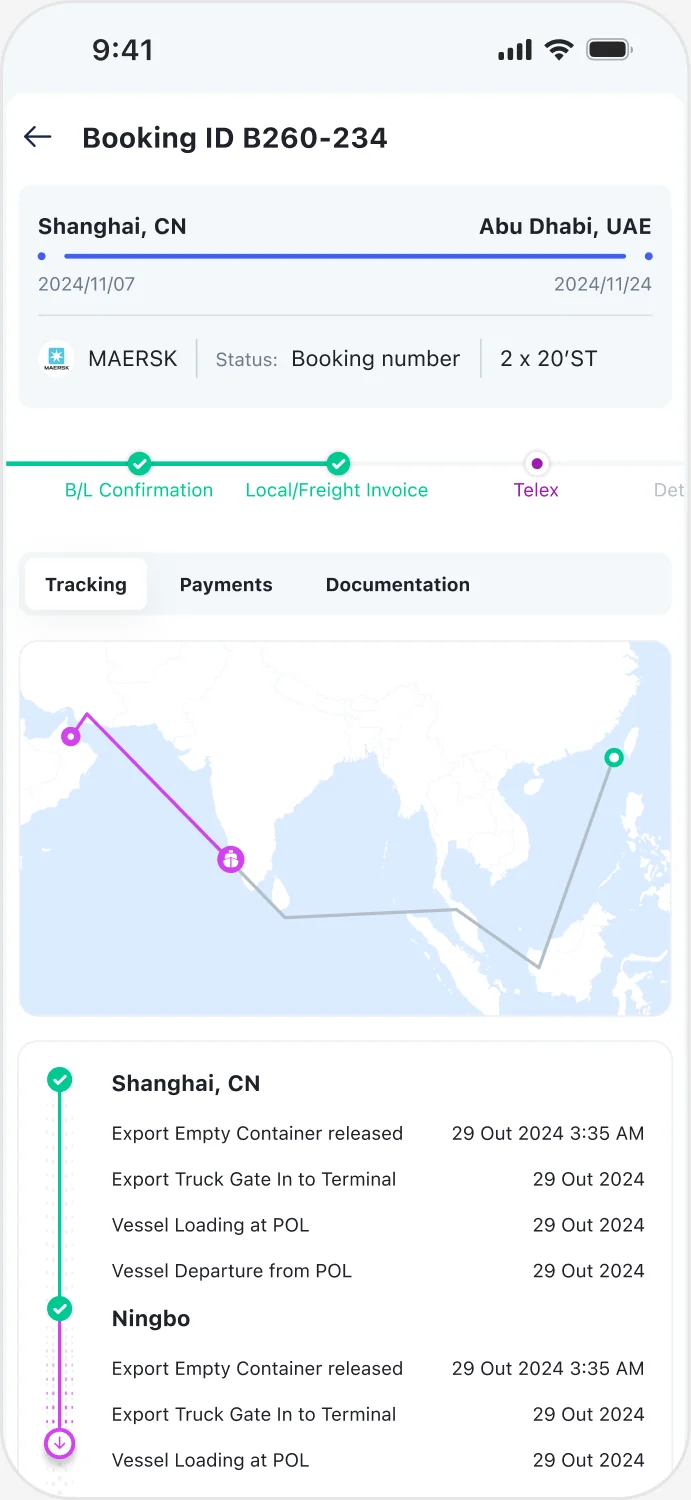
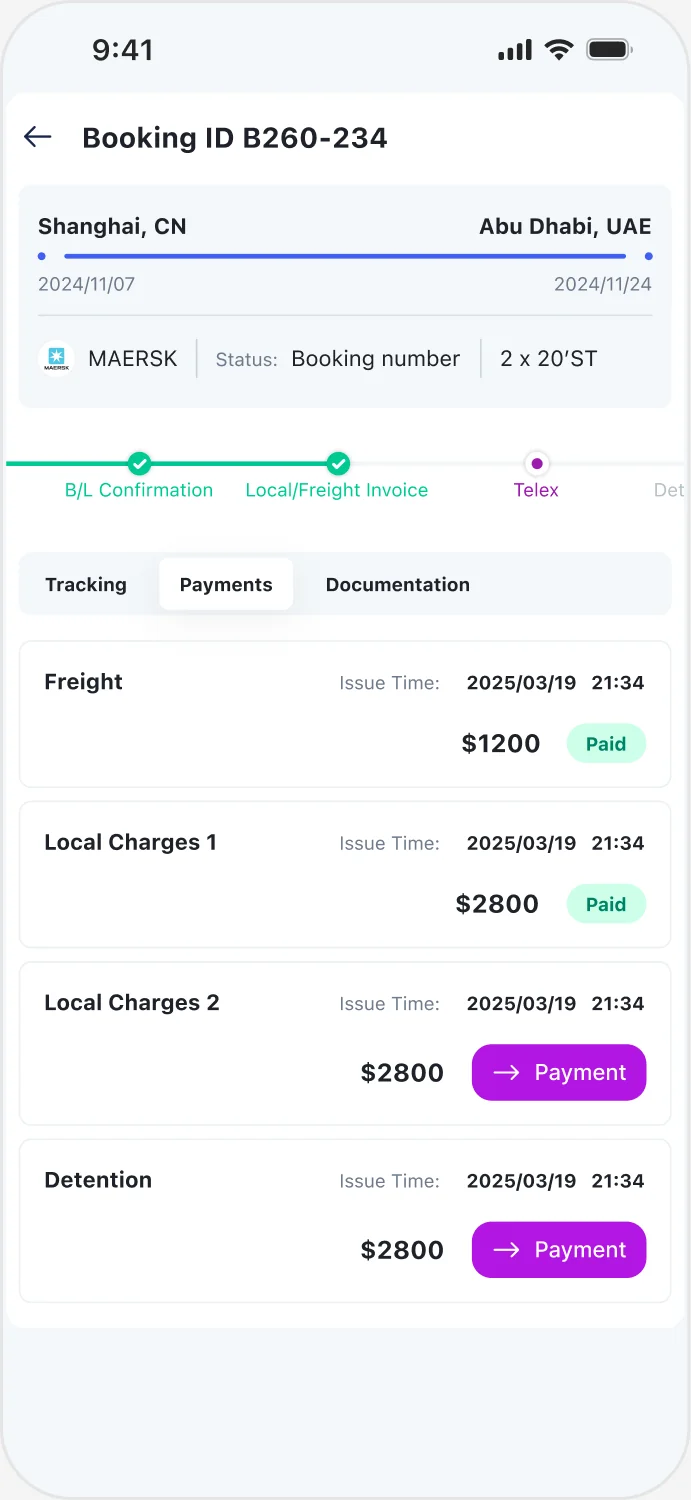
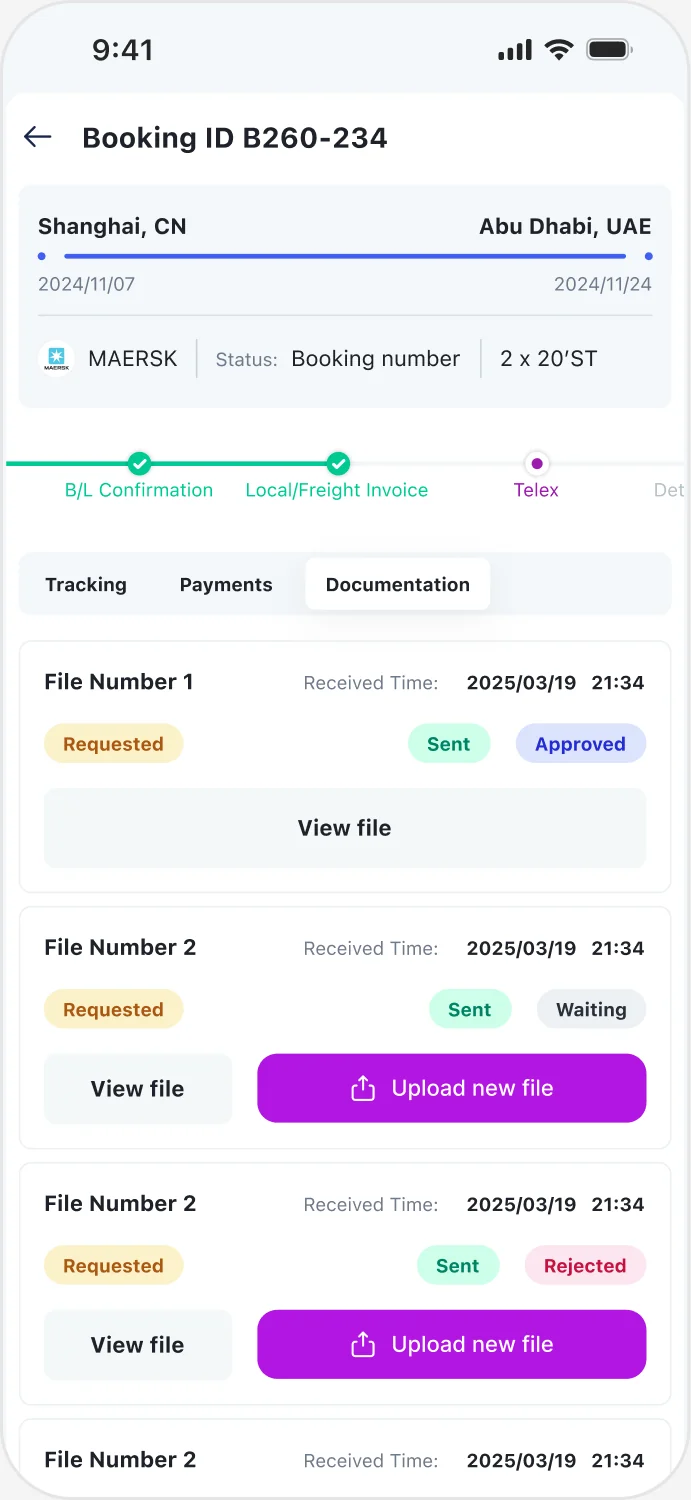
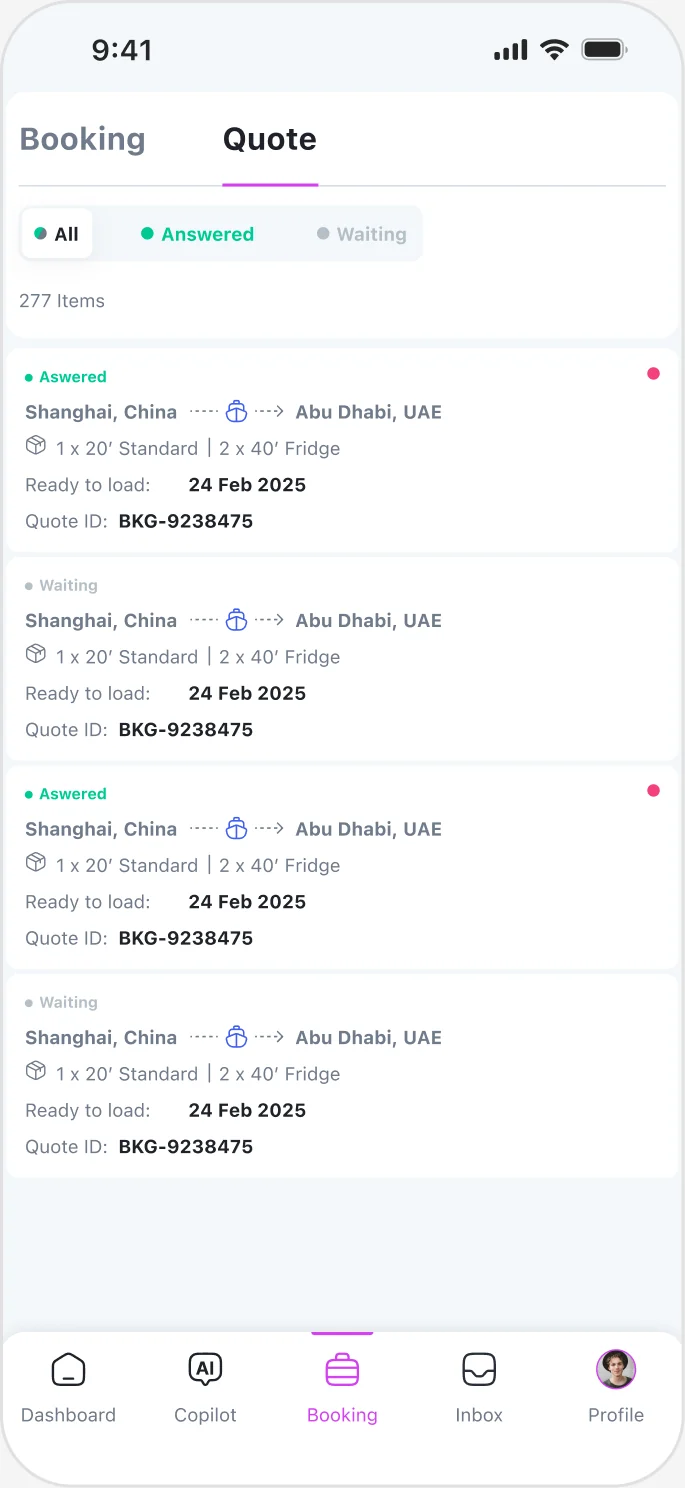
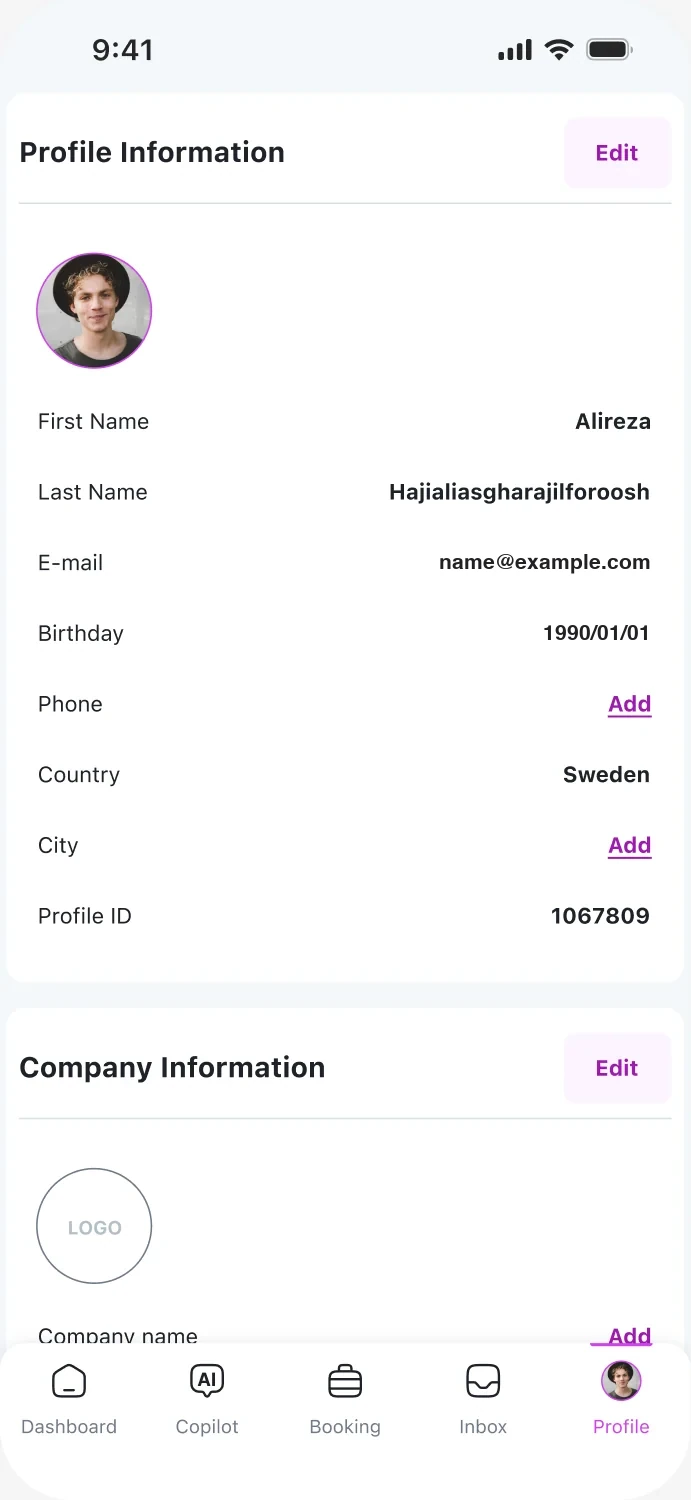
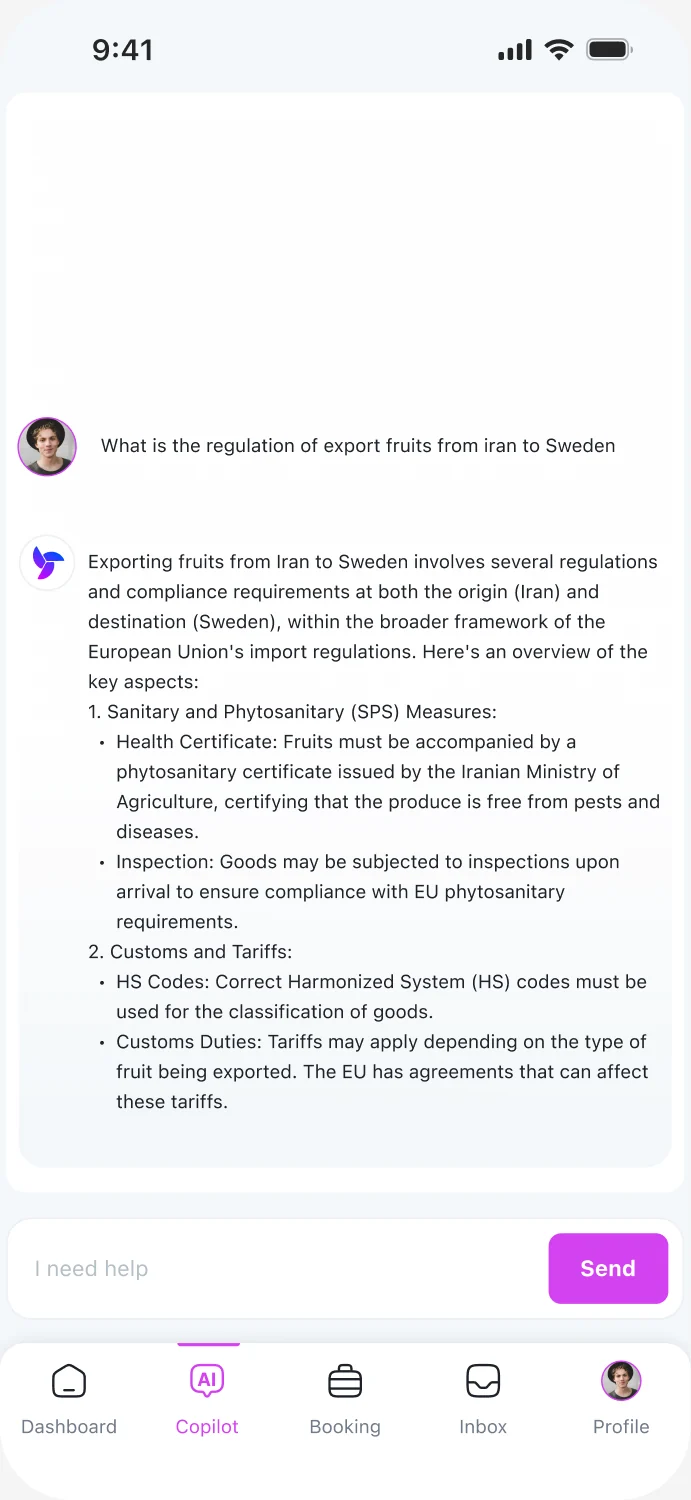
The platform works on mobile too: tracking, payments, documents, quotes, a profile and an AI copilot for customs questions.
07 — Design system
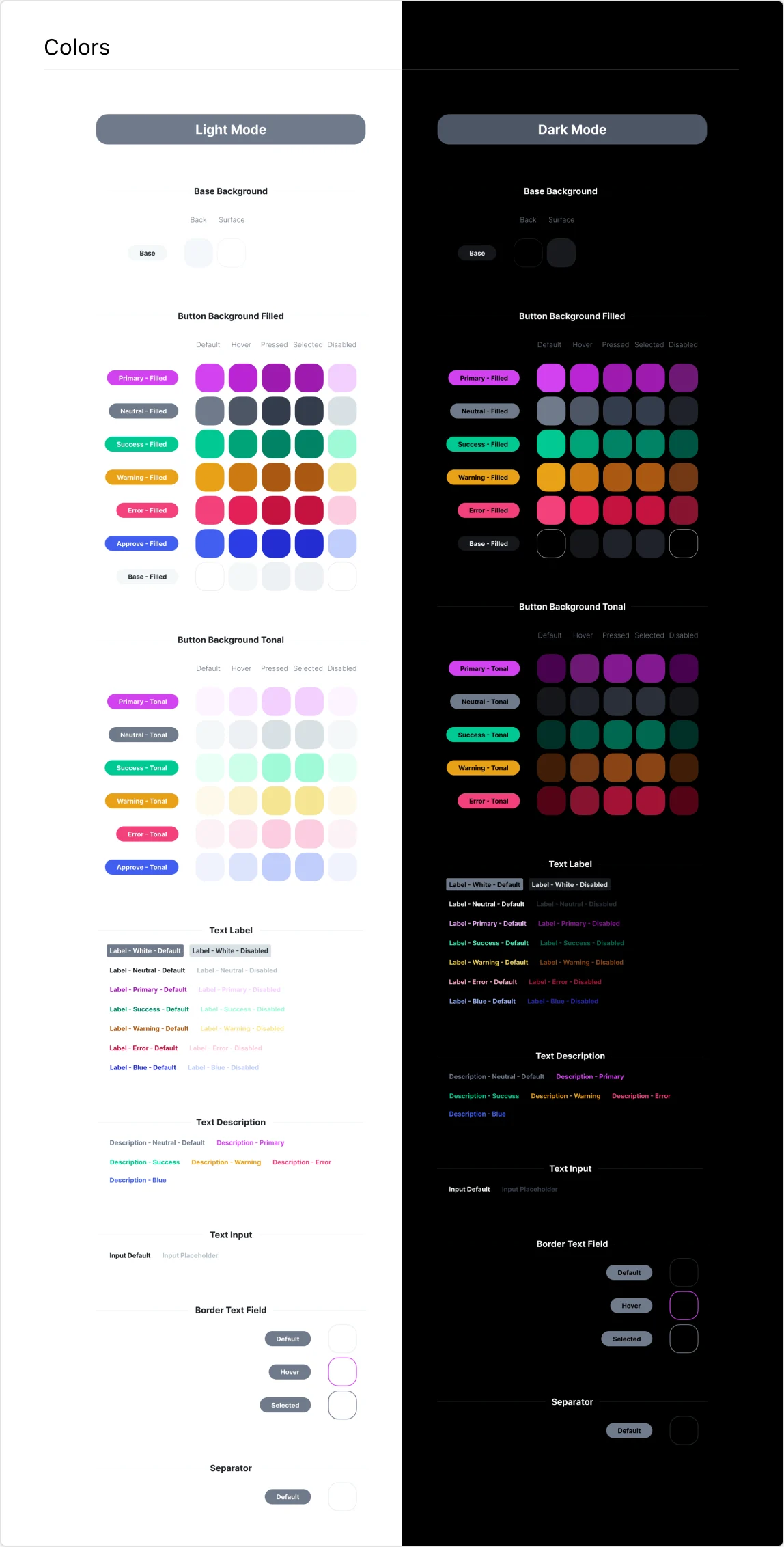
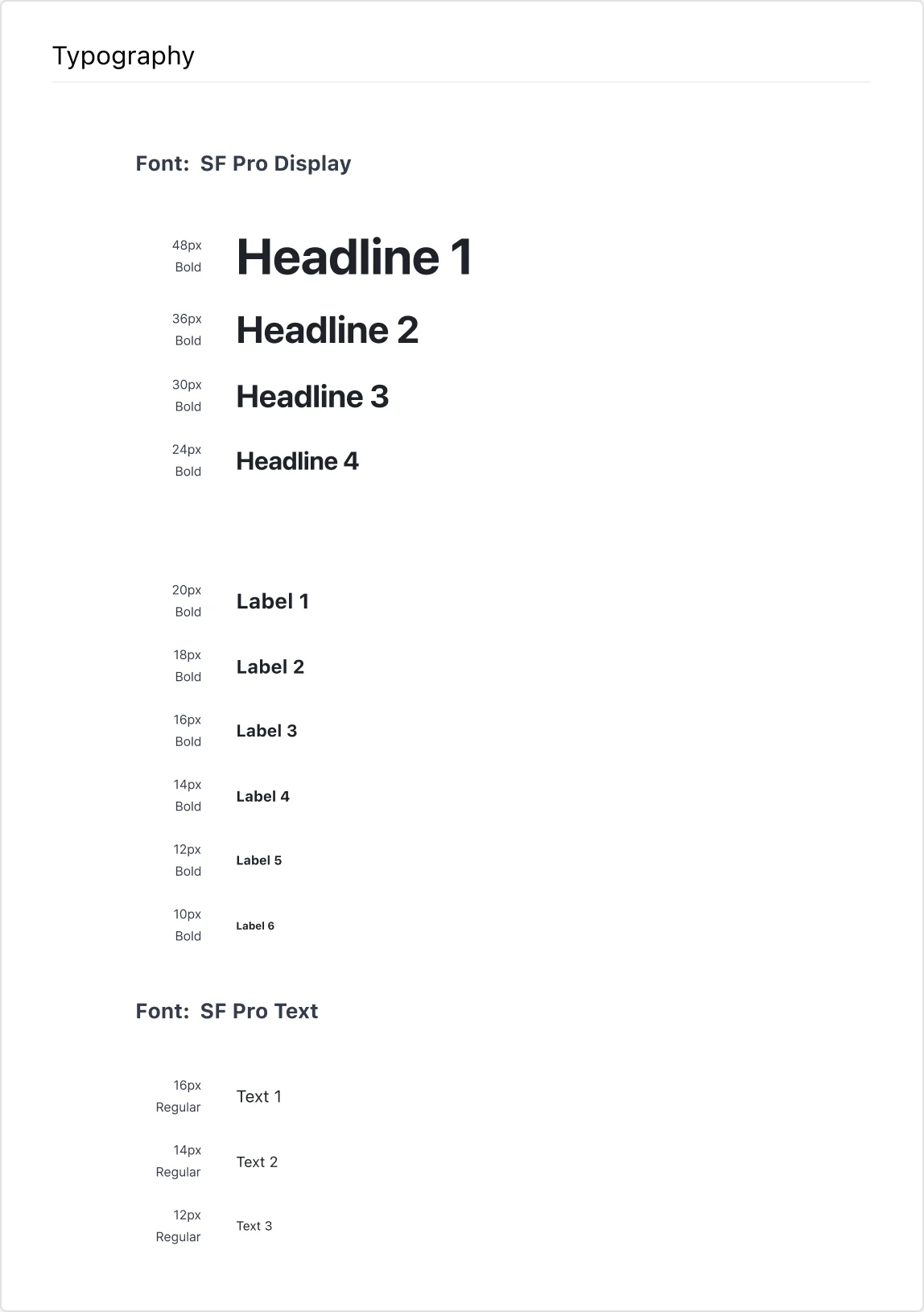
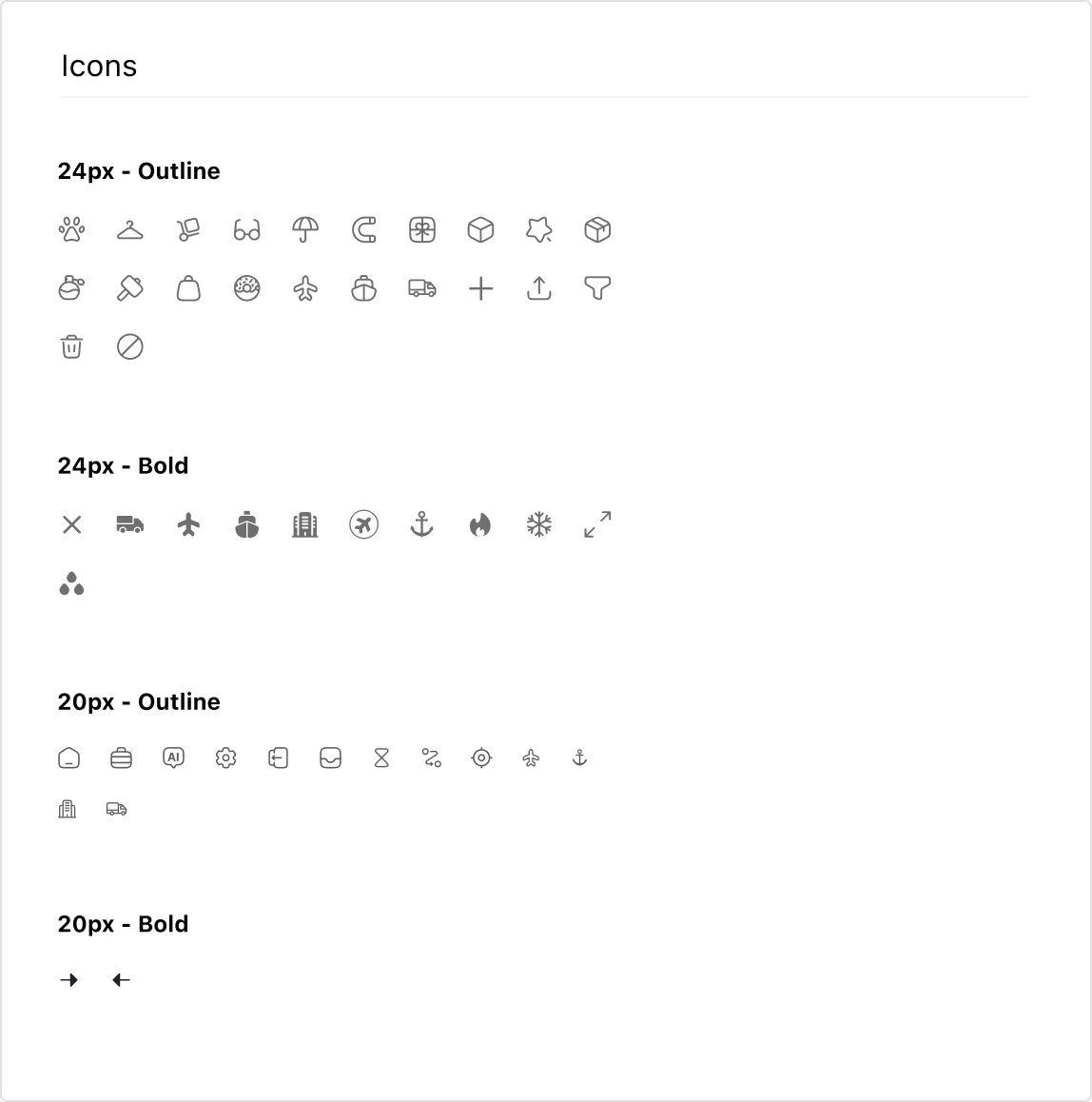
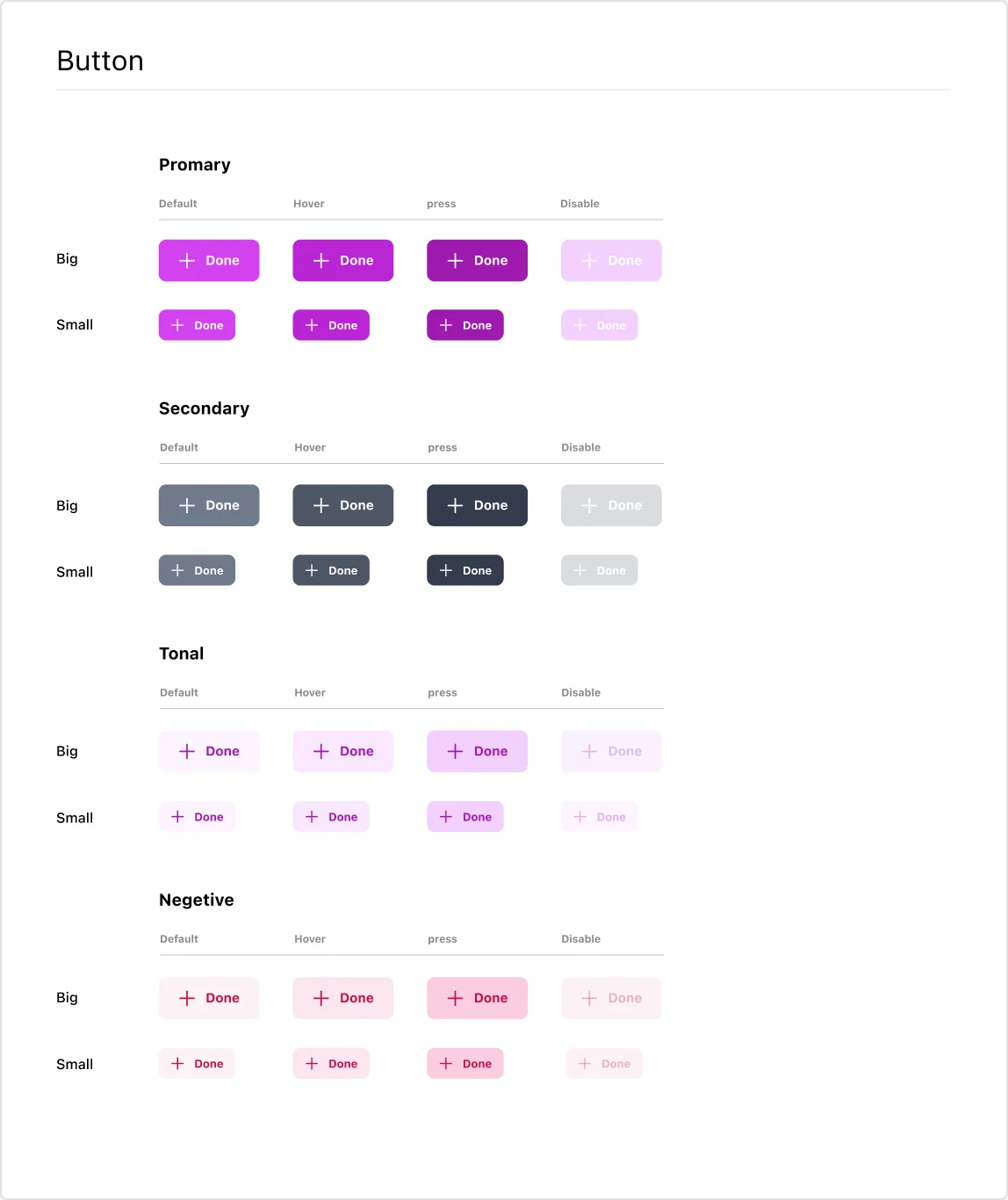
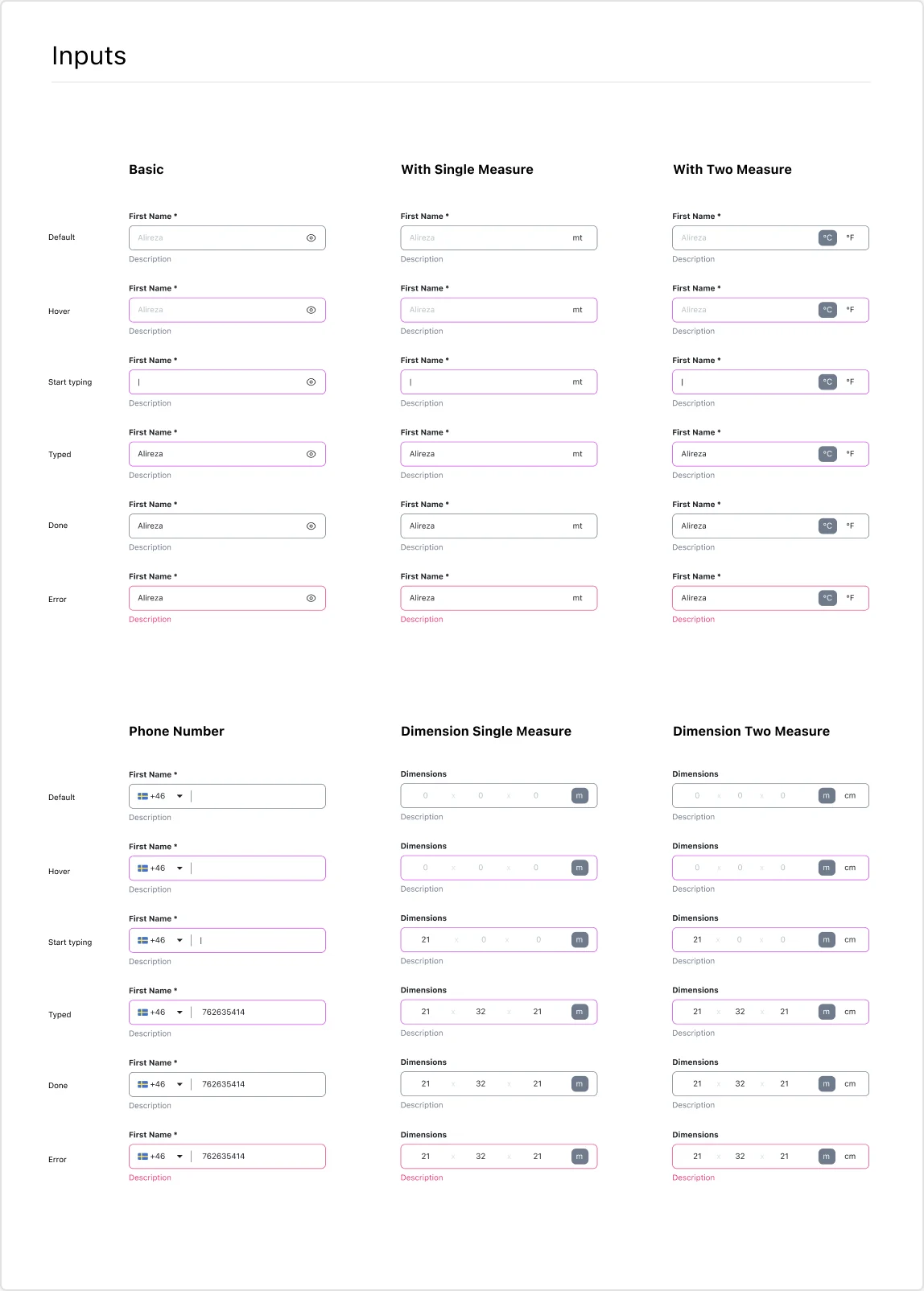
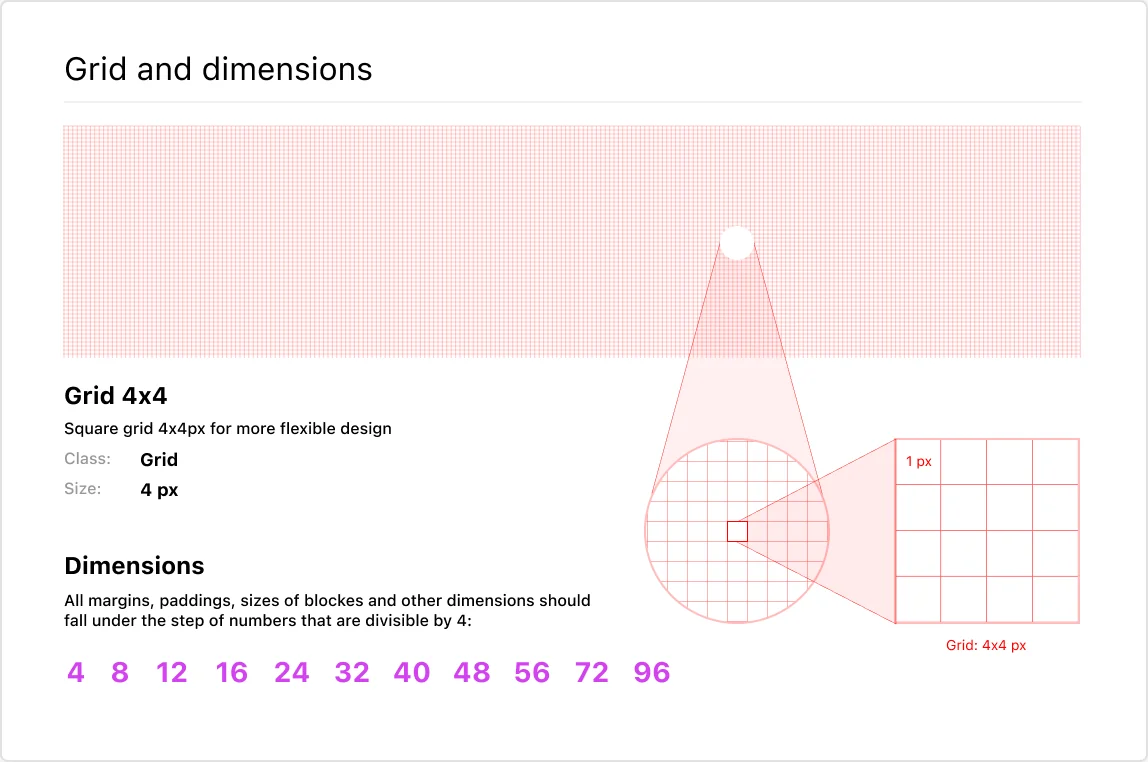
For the developers I built a fully detailed UI kit with every design element they need, so each screen can be built the same way, every time.
08 — Delivered